Best Speech to Text Models in 2026: 10 Leading Models Compared
Best AI-Powered Transcription Services: 12 Leading Services Compared
October 1, 2026

Transcribing today’s voice-based applications requires something better than traditional, manual transcription.
There are plenty of AI-powered transcription services to choose from. However, their speech to text conversion capabilities vary widely. Few offer tone, intent and behavioral analysis of speech.
In this guide, we’ll compare several leading AI-powered transcription services and highlight their strengths and weaknesses.
In this article:
- Modulate Transcription
- Deepgram
- AssemblyAI
- WhisperAI
- OpenAI Whisper
- Google Cloud Speech-to-Text
- Azure Speech in Foundry Tools (Microsoft)
- Amazon Transcribe
- IBM Watson Speech to Text
- Scribe by ElevenLabs
- Sonix
- Rev
- Verbit
- Best AI-Powered Transcription Services Comparison Chart
- What is an AI-Powered Transcription Service?
- Transcription vs. Voice Intelligence
- What to Look for in an AI-Powered Transcription Service
- Frequently Asked Questions
Modulate Transcription
Overview
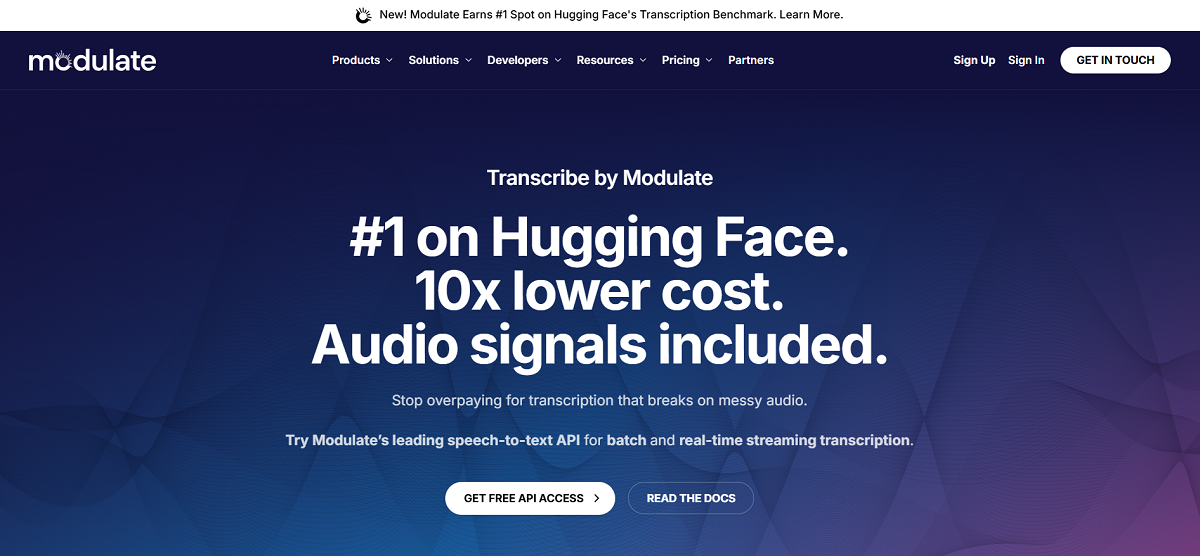
Modulate’s Transcription API consists of three standalone transcription models optimized for different tradeoffs between metadata richness and speed. These models are also integrated components of Modulate’s unified voice intelligence platform, which coordinates them with other purpose-based models.
Two of our three models support batch and streaming modes of operation. This gives you five options for transcription: Multilingual (batch), Multilingual (streaming), English Fast (batch), English Fast (streaming), and Multilingual Fast (batch). They can be selected based on your needs around conversation metadata richness, live captioning, or raw throughput:
- Multilingual (batch): Rich transcription with per-utterance timing, speaker labels (enabled by default), and optional emotion, accent, deepfake, and PII/PHI labels. It returns a transcript with metadata for each utterance. Choose this when your downstream application requires formatted output with speaker attribution. Analytics, QA, or compliance review might require such formatted output.
- Multilingual (streaming): Same feature set as Multilingual (batch), including speaker diarization, emotion, accent, deepfake, and PII/PHI labels, delivered over a WebSocket as the audio is being streamed in. Rolling partial transcripts are added for utterances that have been spoken but not yet completed.
- English Fast (batch): English-only transcription, tuned for higher throughput. Both word-level timestamps and speaker diarization can be enabled or disabled independently of one another. This mode does not support emotion, accent, deepfake, or PII/PHI labels.
- English Fast (streaming): This is the lowest-latency option, returning a partial transcript every ~1.5 seconds so transcription is visible before the speaker has finished talking. It does not support emotion, accent, deepfake, and PII/PHI labels, and does not currently support speaker diarization. Use this mode for live captioning and voice assistants.
- Multilingual Fast (batch): This mode returns only the transcript string and detected language, for any language supported by our service. It does not perform diarization or return any enrichment labels. Choose this when your primary requirement is raw throughput of transcribed text, regardless of metadata.
In short: Two of our three models (Multilingual and English Fast) run in both batch and streaming, which means there are five ways to call the Transcription API. Multilingual provides the full range of features for teams who need diarization and behavioral context. English Fast removes behavioral context to reduce latency while still providing diarization capability in batch mode. Multilingual Fast removes both for the highest throughput when only the transcript itself matters.
Key Features
Five Transcription Modes: Multilingual (batch), Multilingual (streaming), English Fast (batch), English Fast (streaming), Multilingual Fast (batch), each offering different feature sets. Multilingual (batch and streaming) include all enrichments. English Fast sacrifices enrichment features for faster transcription, and only includes diarization in batch. Multilingual Fast sacrifices all enhancements, returning a bare-bones transcript.
Speaker Diarization: Diarization included by default on Multilingual (batch) and Multilingual (streaming). It’s available on English Fast (batch) with an opt-in. Speaker diarization is not supported on English Fast (streaming). Assigns speaker labels to each utterance, along with start time and duration.
Emotion, Accent, and Deepfake Detection: Add optional enrichment parameters on Multilingual (batch) and Multilingual (streaming. Adds emotion labels, accent flags, and likelihood of synthetic voice to each utterance. These features are not available on English Fast or Multilingual Fast.
PII/PHI Tagging: Include tags around PII/PHI spans in the transcript on Multilingual (batch) and Multilingual (streaming). For a version where the sensitive audio itself is also silenced, Modulate offers a separate PII/PHI Redaction endpoint (batch and streaming) instead of transcription.
Low-Cost, High-Accuracy Transcription: Modulate Transcription have some of the lowest Word Error Rates in the industry (7.8% WER on Earnings-22, 7.92% WER on AMI-IHM, and 8.04% WER on Vox Populi) at prices as low as $0.03/hour on Multilingual (batch). Earnings-22 is a collection of accented, real-world earnings-call recordings benchmarked for ASR performance on financial speech and accents from around the world. AMI is a collection of multi-speaker meeting recordings (available in the IHM, or individual headset microphone, split which isolates each individual speaker’s close-mic audio) benchmarked for ASR performance on conversational, multi-party speech. VoxPopuli is a large multinational speech corpus sourced from recordings of the European Parliament and used to benchmark multilingual transcription.
Multilingual Coverage: Transcribe speech in 57 languages and dialects across our Multilingual (batch and streaming) and Multilingual Fast (batch) modes. Modulate can automatically detect language when no language hint is provided.
Pros
- Higher accuracy-to-price ratio compared to competitors.
- Multilingual (batch and streaming) includes rich per-utterance metadata (diarization, emotion, accent, deepfake score) as part of the transcription output itself, not a secondary tool.
- Ability to sacrifice some metadata accuracy for increased latency via Fast modes without changing vendors.
- Streaming supported on Multilingual as well as English Fast, so teams have a low-latency option even outside of the feature-rich tier.
- Optional PII/PHI tagging and redaction are built into Multilingual (batch) and Multilingual (streaming), minimizing the need for separate compliance processes.
Cons
- Velma’s ecosystem is newer compared to some long-standing speech to text providers, so you may find fewer community examples or SDKs initially.
- Fast modes trade-off diarization, emotion, accent, and PII/PHI enrichments for speed. If your team needs metadata as well as high throughput, they should use Multilingual instead.
- Speaker diarization is not supported in English Fast (streaming) even though it’s available in English Fast (batch). If your team needs low-latency streaming with speaker labels, use Multilingual (streaming) instead.
Deepgram
Overview
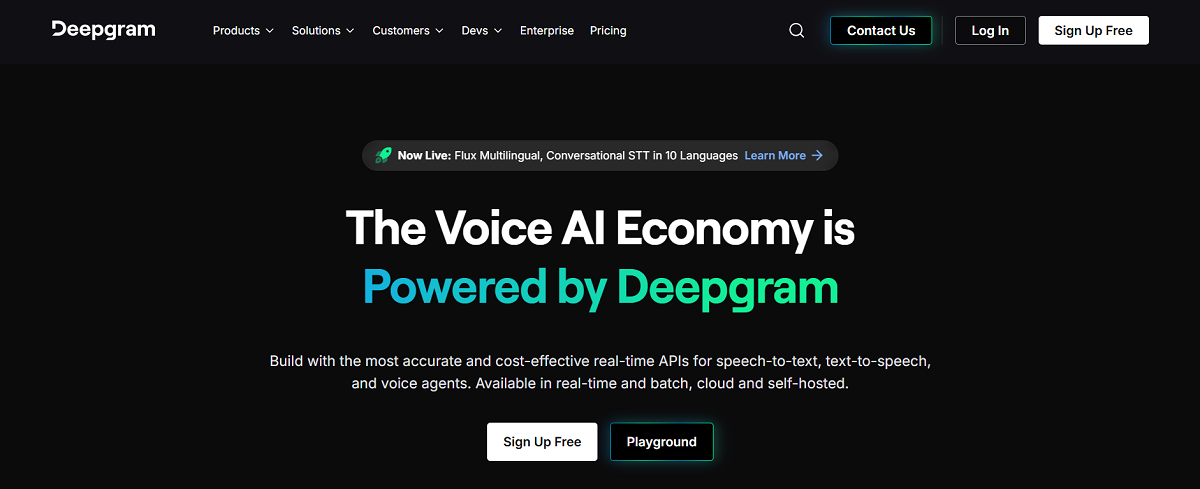
Deepgram offers APIs for speech-to-text, text-to-speech, and voice agents that can be used to create production level voice AI applications. Its transcription portfolio includes Nova-3, which is a high performance model designed for production transcription with multilingual support, and Flux, which is a conversational model designed from the ground up for use with real-time voice agents, featuring turn detection and natural interruptions. It also has industry specific models trained on healthcare, legal, finance, and more. Custom models can be trained for unique use cases.
Deepgram supports both real-time streaming and batch transcription, and can be deployed as a cloud API or self-hosted for teams with stricter data residency or infrastructure requirements. Per the competitive data reviewed, Deepgram's Nova-3 model scores 15.7% WER on Earnings-22 and 8.20% WER on VoxPopuli, at a batch transcription cost of roughly $0.31/hr.
Key Features
Nova-3 Transcription Model: Deepgram's production transcription model. It’s been trained for higher accuracy, robustness to background noise, and support for over 50 languages.
Flux Conversation Model: Designed specifically for voice agents that operate in real-time. Flux has automatic turn detection and can handle natural interruptions to facilitate conversations that feel natural to humans.
Low Latency: Deepgram promises transcripts in under 300ms. Ideal for voice agents and other conversational AI that must respond in real-time.
Speaker Diarization: Identifies when speakers change and labels who said what in multi-speaker audio.
Keyterm Prompting: Boosts recognition of important words/phrases. Deepgram claims this can increase keyword recall rate by up to 90%.
Smart Formatting and Filler Words: Add automatic punctuation, capitalization and paragraphing to create readable transcripts. Optional filler-word transcription ("uh", "um", etc.) helps maintain a natural, human-like transcript.
PII Redaction: Detects and redacts sensitive/personal information from transcripts.
Flexible Deployment: Deepgram can be used as a cloud API or a self-hosted deployment, and offers both real-time streaming and batch processing.
Pros
- Low latency (<300ms) enables real time applications.
- Supports 50+ languages, with language-specific pages highlighting unique features and capabilities.
- Self-hosted deployment option to accommodate teams with specific data residency or compliance requirements.
- Domain-specific and customization options for industry specific vocabulary (medical, legal, finance, etc.).
- Offer Flux, a turn detection model used to facilitate better AI-Agent interactions as part of the STT/TTS AI-Agent pipeline.
Cons
- Higher word error rate than competitors on the Earnings-22 benchmark.
- Runs at significantly higher cost per hour than competitors.
- Lacks out-of-the-box emotion and accent-detection support unlike other providers.
- Cost and model selection (Nova-3 vs. Flux vs. industry-tuned vs. custom) can be confusing.
AssemblyAI
Overview
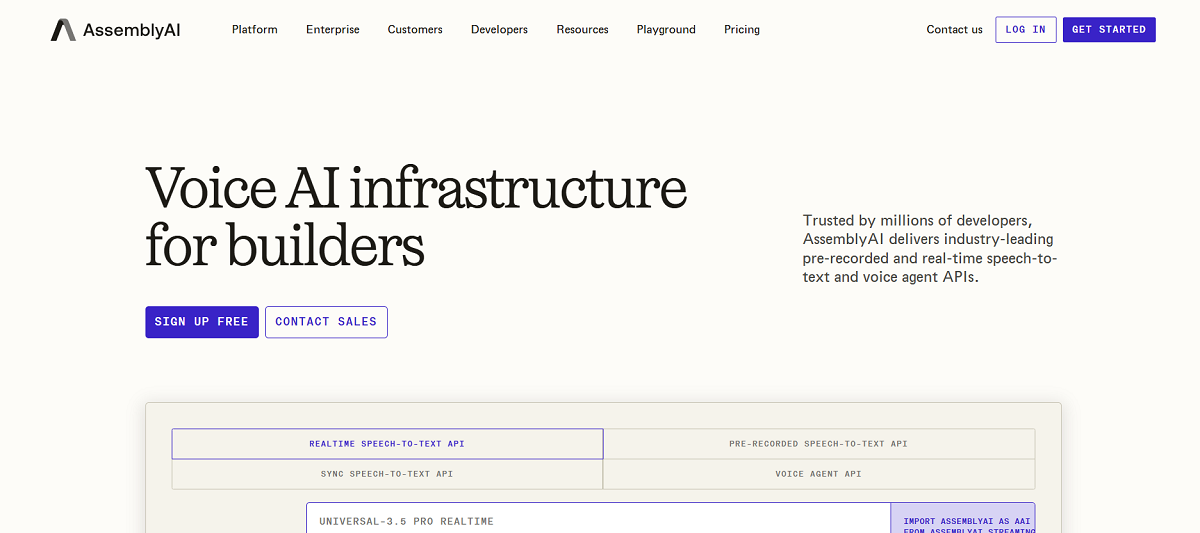
AssemblyAI offers speech AI models for transcribing audio and gaining insights from voice data. The company views itself as developer infrastructure rather than a single point tool. Products include APIs for pre-recorded, Realtime, and Sync Speech-to-Text (returns a completed transcript in a single response; no polling or WebSocket required), Speech Understanding, Guardrails to help with redacting PII, an LLM Gateway, and a Voice Agent API with integrated turn detection. The latest transcription model is Universal-3.5 Pro; previous models Universal-2 and Universal-Streaming remain available.
Based on shared competitive data, AssemblyAI's Universal model achieves 11.90% WER on Earnings-22 and 6.80% WER on VoxPopuli (best VoxPopuli score across providers). AssemblyAI transcribes about 2 million hours of audio daily and supports 99 languages.
Key Features
Universal-3.5 Pro: AssemblyAI's latest production-ready speech model that can process real-world audio conditions. Supports real-time and pre-recorded transcription.
Sync Speech-to-Text API: Upload an audio snippet and receive a completed transcript in the response. No polling a job or managing a WebSocket connection required.
Speech Understanding API: Builds upon standard transcription by returning speaker ID, sentiment, chapters, and summaries all from a single API call.
Voice Agent API: Includes out of the box turn detection and interruption handling to help you build production grade voice agents.
Guardrails: Redacts PII and moderates content as you receive audio and transcripts, preventing sensitive information from entering your logs or downstream LLMs.
LLM Gateway: Switches between multiple LLM providers (GPT, Claude, Gemini, and community contributed models) from a single endpoint. Includes built-in failover if a model or provider becomes unavailable.
Broad Multilingual Support: Supports 99 languages, one of the broadest ranges of all providers we reviewed.
Scalable, Predictable Pricing: AssemblyAI claims there are no concurrency limits, throttles, or required minimums on their pricing. You can scale from a few hundred hours per month to hundreds of thousands of hours per month on their platform.
Pros
- Strong accuracy on conversational, real-world audio, including a leading VoxPopuli WER among providers compared.
- Extensive language support (99 languages).
- Sync API removes polling/WebSocket complexity for short-clip use cases.
- Speech Understanding API packages sentiment analysis, summarization, and speaker identification out-of-the-box alongside transcription.
- Guardrails and our LLM Gateway eliminate the need for external tools to ensure compliance and model routing.
- Self-hosted and cloud deployment options for enterprise infrastructure needs.
Cons
- Lacks built-in emotion/voice accent detection that some competitors provide.
- Large platform (Guardrails, LLM Gateway, Voice Agent API) can increase surface area, complexity and cost you may not need if all you require is transcription.
- Many model generations (Universal-3.5 Pro, Universal-2, Universal-Streaming) necessitate some testing to determine which is best for your use case.
WhisperAI
Overview
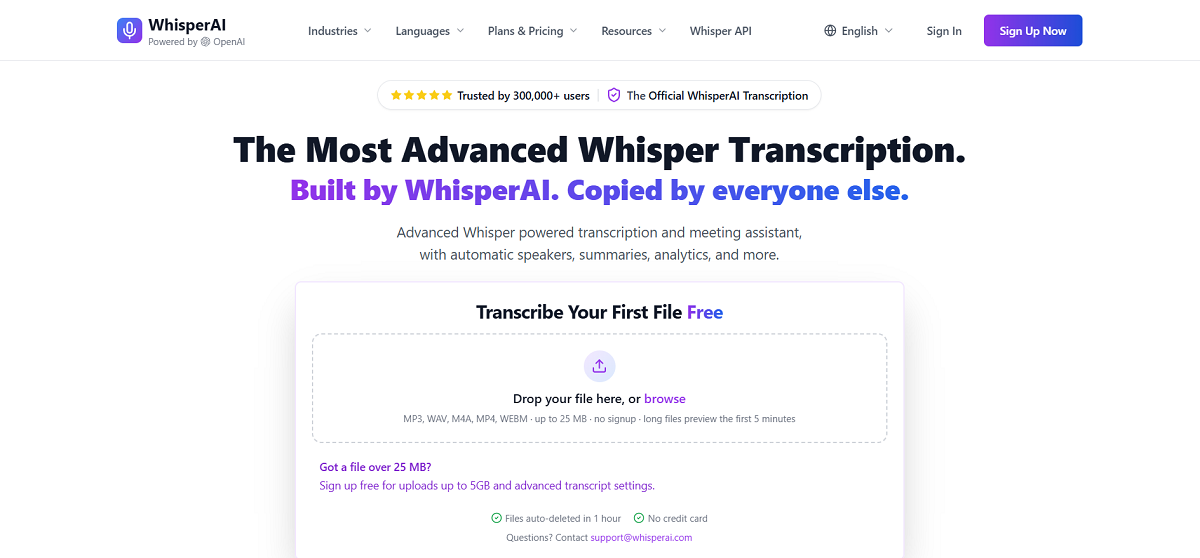
WhisperAI is a commercial transcription platform built on OpenAI's Whisper technology rather than a proprietary model. Features include unlimited plans, 100+ languages, speaker labels, and a developer API. The API allows users to transcribe files or URLs, provides timestamps and webhooks, and is charged per minute. Whisper.ai targets businesses, creators, and people who want affordable and simple transcription. Plans start at $9.99-$19.99/ month.
Since WhisperAI leverages OpenAI's Whisper models underneath instead of training their own model from scratch, WhisperAI's transcription quality largely mirrors OpenAI Whisper's results (11.29% WER on Earnings-22, 15.95% on AMI-IHM, 9.54% on VoxPopuli) according to the competitive data we reviewed.
Key Features
Speaker Detection: Automatically detects and labels speakers on transcripts (paid plans).
AI Summaries: Automatically creates AI summaries of transcripts for quick insight without reading entire transcripts.
Unlimited Transcription Plan: The highest-tier plan (Business Pro) includes unlimited transcription minutes with no limits. Supports larger file uploads of 5GB.
Developer API: Independent API product which allows developers to programmatically transcribe files or URLs with options for timestamps, speaker labels, and webhook async support.
Wide Range of Languages: Offers transcription in over 100 languages.
Team Workspaces: Enterprise plans include a team workspace with folders/tags, team analytics, and admin controls. Additional members can be added for a per-seat price.
Pros
- Affordable plans for individuals/small businesses vs. some competitors who focus on larger enterprises.
- Comes with unlimited minutes for paid plans (for power users who aren’t coding their own solution to transcribe very large volumes of calls).
- Includes speaker identification and automated AI summaries out-of-the-box rather than having to piece together different services.
- Offers an easy-to-use web app or an API based on your needs.
Cons
- Does not have its own independently trained transcription model (accuracy is tied to the underlying OpenAI Whisper, not proprietary architecture).
- Does not have emotion detection, accent detection or PII/PHI redaction offered by more enterprise-focused platforms.
- Not as aligned for large-scale enterprise or phone call integrations when compared to API-first platforms built with that purpose in mind.
OpenAI Whisper
Overview
Whisper is OpenAI's speech recognition system that converts spoken language into text. The model is trained on 680,000 hours of multilingual and multitask supervised data sourced from the internet. OpenAI found that this large, diverse training set improved robustness to accents, background noise, and technical language, while also enabling both transcription in multiple languages and translation from those languages into English. OpenAI chose to open-source the model and accompanying inference code, framing it more as a starting point for application development and research into robust speech processing than as a fully managed product for enterprises.
Whisper may be used in two ways: as a free open-source model which developers can run themselves on their own hardware, or through OpenAI's hosted API (whisper-1 and newer models based on GPT-4o) for a fee based on usage. The latter price has commonly been quoted to be $0.006 per minute for standard batch transcription use. Whisper Large v3 has a WER of 11.29% on Earnings-22, 15.95% on AMI-IHM, and 9.54% on VoxPopuli.
Key Features
Open Source Model and Code: OpenAI open sourced not just the trained models, but also the inference code itself. This means teams can self-host and modify Whisper instead of depending on a hosted API.
Large, Diverse Training Data: Whisper was trained on 680,000 hours of multilingual, multitask supervised audio. This diverse dataset grants more robustness to accents, background noise, and technical vocabulary than seen in models trained on smaller datasets more closely matched to their intended use case.
Multilingual Transcription and Translation: Whisper simultaneously transcribes speech in the language spoken while translating that speech to English using a single model.
Zero-shot Robustness: Across a range of datasets, OpenAI claims Whisper makes about 50% fewer errors than comparable models, even though Whisper was not trained with that benchmark in mind.
Flexible Deployment: Choose between downloading Whisper as a free, self-hosted open source model (for teams with GPU infrastructure) or use OpenAI’s pay-per-minute hosted API (for teams who prefer zero infrastructure management).
Word and Segment-Level Timestamps: Whisper includes support for producing word-level as well as segment-level timestamps, enabling use cases like captioning and downstream searching.
Pros
- Free and open source. It can be used by teams who have the capacity to self-host on their own infrastructure at no cost.
- Whisper has multilingual support and performs speech-to-English translation natively in the same model.
- Well-documented, widely adopted, and integrated into many third-party tools and platforms (including WhisperAI, covered elsewhere in this guide).
- Hosted API prices are straightforward with no published tiered usage volumes or commitments required.
- Strong accuracy on Earnings-22 and VoxPopuli datasets compared to some other providers.
Cons
- No native speaker diarization, PII/PHI redaction, emotion detection, or accent detection. You must integrate additional tools to get those features.
- Lower accuracy on the AMI-IHМ benchmark (a multi- speaker meeting-style audio dataset) vs. many competitors.
- Self-hosting requires you to have GPU infrastructure + DevOps effort to realize savings at scale, while the API can get costly at very high transcript volume compared to lower-cost specialized providers.
Google Cloud Speech-to-Text
Overview
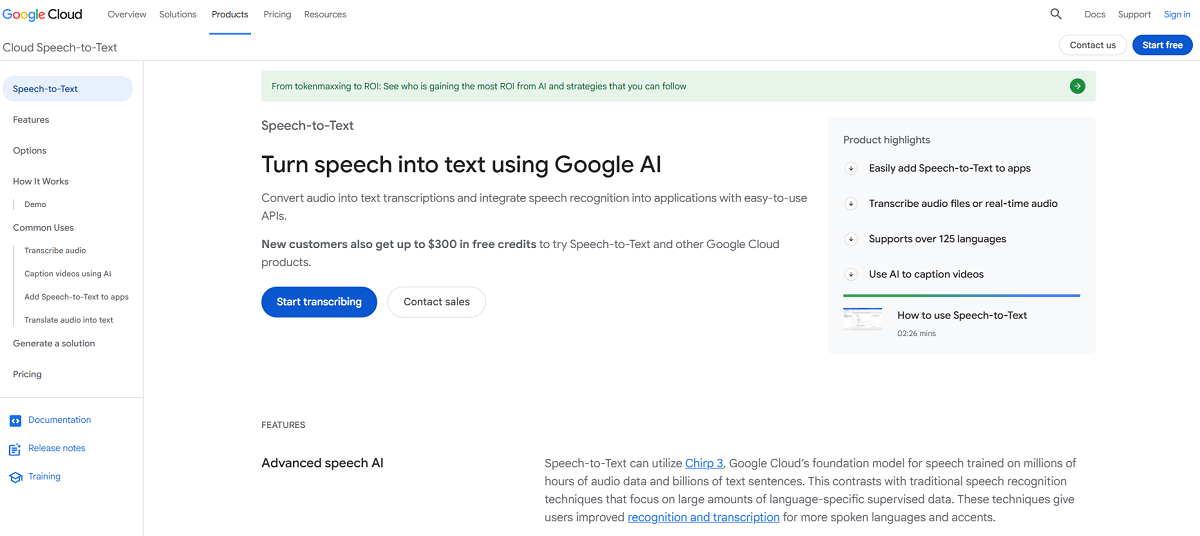
Google Cloud Speech-to-Text is an automatic speech recognition service for converting audio to text through simple REST or WebSocket APIs. It offers support for over 85 languages and dialects. Google Speech-to-Text's current machine learning model, Chirp 3, has been trained on millions of hours of audio and billions of sentences of text, according to Google. The company claims that it recognizes more languages and accents than conventional acoustic models because of this training regimen. Google Speech-to-Text offers three types of recognition: synchronous, asynchronous, and streaming. Organizations can pick the method that works best for post-processing, periodic, or real-time transcription.
Speech-to-Text is part of Google Cloud, and naturally works with other Google Cloud services including Cloud Storage, Cloud Translation, and Google identity and billing products. This will be preferred by teams who have standardized on Google Cloud products. Based on competitive comparisons we reviewed, Google's chirp-3 model achieves 14.30% WER on Earnings-22 and 7.00% WER on VoxPopuli, at a published cost of $0.016/minute for their V2 API.
Key Features
Chirp 3 Foundation Model: Pre-trained on millions of hours of audio and billions of sentences of text to recognize and transcribe more spoken languages and accents than previously possible with supervised methods.
Broad Language Support: Supports transcription across 125+ languages and variants, with global deployment options for Chirp 3.
Support for Streaming, Short Audio, and Long Audio: Supports speech recognition in real-time as audio is received from a microphone or file. Provides synchronous and asynchronous options for shorter or longer pre-recorded audio.
Model Adaptation and Speech Adaptation: Allows teams to skew recognition toward specific words or phrases (such as recognizing "weather" instead of "whether"), and can automatically transform spoken numbers into addresses, years, currencies, and more with Speech Adaptation classes.
Speaker Diarization: Can automatically identify which speaker in a conversation said what utterance.
Regulatory and Security Compliance: Meet your regulatory and security needs with data residency across Google Cloud regions, audit logging, and customer-managed encryption keys available through the V2 API for enterprise and regulated customers.
Domain-Specific and On-Prem Models: Offers models tuned for specific use cases, like an enhanced phone call model for 8kHz telephony audio, plus an on-premises deployment option for teams that need full infrastructure control.
Multichannel Recognition and Noise Robustness: Recognizes and annotates distinct channels in situations like video conferences. Handles noisy audio well without requiring additional noise cancellation.
Pros
- Easily integrates with other Google Cloud solutions (Storage, Translation, IAM, billing, etc.).
- Extensive language support (125+ languages and variants).
- Flexible methods of speech recognition (sync, async, streaming) that map to different transcription use cases.
- Robust regulation and compliance capabilities (data residency, audit logs, customer managed encryption keys) for enterprise and heaviest regulated industries.
- On-premises deployments for teams that cannot use a cloud solution.
Cons
- Requires a Google Cloud account and familiarity with GCP's console/IAM model, adding setup overhead for teams not already on the platform.
- No built-in emotion or accent detection, unlike some competitors.
- Higher WER on Earnings-22 than some other platforms.
- Pricing and features are split across API versions (V1/V2) and models, requiring some research to identify the right configuration and cost for a given use case.
Azure Speech in Foundry Tools (Microsoft)
Overview
Azure Speech is a suite of speech-to-text, text-to-speech, translation, and speaker recognition APIs included as part of Microsoft's Foundry Tools platform for building agentic AI apps. It connects with Azure OpenAI, ties into Azure Content Understanding for post-call analytics, and Azure Content Safety for guardrails.
Typical applications include call center and meeting transcription, audio captioning for 100+ languages, and text-to-speech for voice agents. Azure Speech also supports transcription using the latest OpenAI Whisper model as a secondary engine. According to our competitive analysis, Azure Speech supports 145 languages/dialects (the widest variety of any provider we compared) and has real-time and batch options for diarization and PII redaction, however, it has higher streaming latency of approximately 700ms.
Key Features
Speech-to-Text and Speaker Recognition: Transcribes call center and meeting transcripts, conversations and more. Captions available in 100+ languages.
Alternative OpenAI Whisper Engine: Transcribe audio with the most recent OpenAI Whisper model within Azure Speech or Azure OpenAI in Foundry Models, instead of Microsoft's built-in model.
Voice Live API for Agents: Agents with speech capabilities end-to-end, including custom transcription, voice output, and avatars.
Post-Call Analytics: Analyzes audio or video call recordings for deeper insights using foundation models in Azure Content Understanding.
Speech Translation: Enables real-time, multilingual speech-to-speech translation and speech-to-text transcription of audio streams that you can tailor to your industry.
Deploy Anywhere: Run your models where your data lives, whether in the cloud or at the edge with containers.
Custom and Embedded Speech: Supports custom neural voice creation and embedded (on-device) speech-to-text and text-to-speech for applications in which cloud connectivity is intermittent or unavailable.
Enterprise Security and Compliance: Supported by Microsoft's enterprise security portfolio which includes more than 100 compliance certifications across global regions.
Pros
- Broadest language/dialect coverage among providers compared (145 languages/dialects).
- Integration with Azure and Foundry ecosystem components like OpenAI models, Content Understanding, Content Safety, Translator, etc. if you’re already building solutions on Azure.
- Option to use Microsoft's model or the latest OpenAI Whisper model under the same umbrella service.
- Enterprise trust and compliance ready through Microsoft's security and compliance program.
- On-device (embedded) and container-based deployment options for intermittent-connectivity or edge scenarios.
Cons
- Higher streaming latency (~700ms) than some real-time focused competitors.
- Higher WER on Earnings-22 compared to some competitors.
- The interoperability with Azure/Foundry services works best if you’re fully invested in the Azure ecosystem, which can create additional complexity and lock-in for teams not already invested in Microsoft’s cloud platform.
- Needs an Azure account and familiarity with the Azure/Foundry portal and its identity/access management (Entra ID/RBAC) patterns. This creates onboarding friction for teams not already using Azure.
- Billing is based on a number of usage factors (audio hours, characters translated, speaker-recognition transactions), so there is some cost modeling needed to determine true price.
Amazon Transcribe
Overview
Amazon Transcribe is a completely managed ASR service built on a multi-billion parameter speech foundation model. It provides transcription for both streaming and recorded speech. It's native to AWS, so integrates seamlessly with other AWS infrastructure like Amazon Connect contact centers.
AWS also provides purpose-built products built on the same foundation: Transcribe Call Analytics, HIPAA eligible Transcribe Medical/HealthScribe, and Toxicity Detection. Amazon Transcribe provides transcription capabilities for 104 languages and dialects, including real-time and batch diarization and PII redaction with slightly higher streaming latency of approximately 1,000ms.
Key Features
Multi-Billion Parameter Foundation Model: Language models trained on millions of hours of audio from many languages, supporting both real-time and recorded speech transcription.
Accuracy in Real-World Conditions: Accounts for different accents, noisy environments, and acoustic conditions to produce more accurate outputs.
Broad Feature Set Across 100+ Languages: Features such as automatic punctuation, custom vocabularies, automatic language identification, speaker diarization, word-level confidence scores, and vocabulary filters are available.
Sensitive Data Redaction and Content Moderation: Transcribe sensitive content by redacting private information, and filter audio with features such as automatic language identification, content moderation, and custom language models.
Call Analytics and Agent Assist: Analyze calls with Amazon Transcribe Call Analytics and Amazon Connect Contact Lens to identify sentiment, call categories, call characteristics, and generate AI summaries (powered by Amazon Bedrock) either in real-time or after the call has ended.
Video and Meeting Subtitling: Create on-demand or broadcast subtitles to increase accessibility for your viewers and capture meetings and conversations.
Toxicity Detection: Detects and categorizes toxic language in audio for gaming, social media, and other P2P conversations.
HIPAA-Eligible Medical Transcription: Amazon Transcribe Medical and AWS HealthScribe are specifically trained to recognize medical vocabulary and can transcribe clinical conversations directly into patient record systems.
Pros
- Seamless integration with the Amazon ecosystem such as Amazon Connect (contact centers) and other AWS AI/ML services.
- Vertical products (Call Analytics, Medical/HealthScribe, Toxicity Detection) built for specific use cases beyond basic transcription.
- HIPAA-eligible medical transcription as a feature for healthcare use cases.
- Wide range of features such as custom vocabulary, redaction, confidence scores and content moderation available for all supported languages.
Cons
- Higher latency (~1000ms) than many other competitors focused on real-time streaming.
- Weaker automatic formatting capabilities when compared to platforms that allow full text and phrase formatting.
- Requires an AWS account and working knowledge of their console and IAM model. This creates extra friction to onboard teams not already using the platform.
- No emotion/accent detection built in out-of-the-box like some competitors.
IBM Watson Speech to Text
Overview
IBM Watson Speech to Text can transcribe speech quickly and with high accuracy in several languages. Available machine learning models include both general out-of-the-box models and customizable models that are trained for specific use cases. IBM markets the product with a focus on enterprise data governance. Teams can train Watson Speech to Text using their own language and audio data while maintaining control of the data with IBM's security and data protection practices. IBM Watson Speech to Text can run anywhere, including public cloud, private cloud, hybrid, multicloud, and on-premises deployments. It supports global languages across any deployment option.
Primary applications include agent assist (Watson transcribes a live call while surfacing relevant documentation in real time), customer self-service through virtual assistants, and call analytics (extracting conversational logs for patterns, sentiment, agents or compliance). Competitive benchmarking places IBM's existing platform, Granite Speech 3.3, at 10.25% WER on Earnings-22 and 5.93% on VoxPopuli. However, their coverage lags most competitors at only 17 languages/dialects.
Key Features
Accurate AI Speech Recognition: Watson Speech to Text powers is built around accurate, best-in-class AI that IBM claims can really understand what customers are saying.
Customizable Domain Models: Allows teams to train Watson Speech to Text AI on their business' unique domain language and audio characteristics.
Flexible Deployment: Works with any cloud (public, private, hybrid, multi-cloud or on-premises) and on any device, allowing teams to support global languages across any environment.
Fine-Tuning for Accuracy: Fine tunes speech recognition for specialized vocabulary to extract key phrases, specific words, letters, numbers or even lists.
Speaker Diarization: Identifies who spoke and when in a multi-person voice conversation.
Real-Time Transcription: Get interim speech transcription results as they are generated, prior to final processing. This can help increase application response time.
Robust Security: Built with IBM's enterprise-grade security and data privacy practices with documented end-to-end encryption (in transit and at-rest).
Pros
- Leading accuracy among providers on the VoxPopuli benchmark.
- IBM Watson Assistant is designed to run virtually anywhere (public, private, hybrid, multicloud, on-premises), making it ideal for highly regulated or infrastructure-sensitive enterprises.
- Offers extensive customization capabilities to tailor domain-specific vocabulary and customer service use cases.
- Backed by IBM’s enterprise grade data governance and security.
- Includes a free tier (500 minutes/month) so you can try it out before purchasing.
Cons
- Smaller set of languages supported (17 langs/dialects) compared to many other providers.
- Does not support emotion/accent detection like some competitors.
- Higher streaming latency (~800ms) when compared to other providers who focus on real-time performance.
- Setup and customization for domain-specific models may take more initial work than turnkey APIs.
Scribe by ElevenLabs
Overview
Scribe is ElevenLabs’ lineup of speech to text models. There are two versions of Scribe: Scribe v2 for batch transcription jobs, and Scribe v2 Realtime for live streaming. Scribe v2 is optimized for files (audio or video) that you upload: podcasts, meetings, interviews. It returns a detailed, structured transcript complete with word-level timestamps, speaker labels, and tags for non-speech events.
Scribe v2 Realtime is optimized for real-time use cases like voice agents and ongoing calls. It returns transcripts live, with a latency of around 150ms. Both models transcribe in 90+ languages, and can be accessed through our API. You can also access Scribe v2 through ElevenLabs’ dashboard and Studio, allowing you to upload and edit your transcripts.
Key Features
Two Purpose-Built Models: Scribe v2 for transcribing uploaded audio/video files (batch), or Scribe v2 Realtime for transcribing live audio streams. Pick the tool that works best for whether you have recorded content to process or need transcripts generated simultaneously with speech being delivered.
High Accuracy, Broad Language Coverage: Supports transcription in 90+ languages. Published Word Error Rate bands span "Excellent" (≤5% WER on English, French, German, Spanish, among others), "High Accuracy" (5-10% WER), "Good" (10-20% WER), and "Moderate" (25-50% WER) for lower-resource languages like Amharic, Somali, and Zulu.
Speaker Diarization: Identifies and labels up to 32 speakers per transcript in Scribe v2 (batch). Scribe v2 Realtime also supports diarization.
Word-Level Timestamps: Supports timestamps for every word (and space between words), which can be used for captioning, subtitle generation, and audio/video alignment.
Entity Detection: Identifies 65 types of entities (such as names, Social Security numbers, credit card numbers, medical conditions) with word-level timestamps in batch models as well as Scribe v2 Realtime. Useful for redacting or highlighting sensitive information.
Keyterm Prompting: Bias transcription toward certain words and phrases you provide (up to 1,000 keywords, 50 characters each) for batch or 50 keyterms (up to 20 characters each) for Realtime. Useful for product names, jargon, and proper nouns.
Dynamic Audio Tagging: Non-speech audio events (laughter, applause, footsteps, etc.) can be tagged inline with the transcript, providing additional context.
No Verbatim Mode: Optional cleanup mode removes filler words, false starts, and other disfluencies to provide cleaner, more readable output. Great for subtitles or speech summaries.
Multichannel Transcription: Can transcribe up to 5 separate audio channels independently with each speaker automatically assigned a speaker ID by channel number.
Ultra-Low Latency Streaming: Scribe v2 Realtime provides transcripts in approximately ~150ms. Predictive transcription works to guess the most probable next word or punctuation mark.
Pros
- Extensive language support (90+) with publicly published, per-language accuracy ranges.
- Both batch and realtime options available via API, covering both recorded and live scenarios with a single vendor.
- Comes with rich metadata out of the box including diarization, word-level timestamps, entity detection, and audio-event tagging.
- Includes keyterm prompting and no-verbatim mode to allow greater control over transcript content than many other competitors offer as native features.
- Offers enterprise features such as SOC-2, HIPAA, GDPR compliance, EU data residency, and ability to generate zero-retention data disposal modes.
Cons
- Entity detection and keyterm prompting are billed separately to base transcription costs.
- Accuracy varies significantly by language. Several lower-resource languages (Amharic, Zulu, Somali) fall into the “Moderate” WER band (25-50%).
- Speaker diarization is limited to 32 speakers on Scribe v2 (batch), which won’t work for extremely large multi-party recordings.
- Relatively new to the transcription market compared to long-time STT-only providers, as ElevenLabs built its reputation on voice generation rather than transcription.
Sonix
Overview
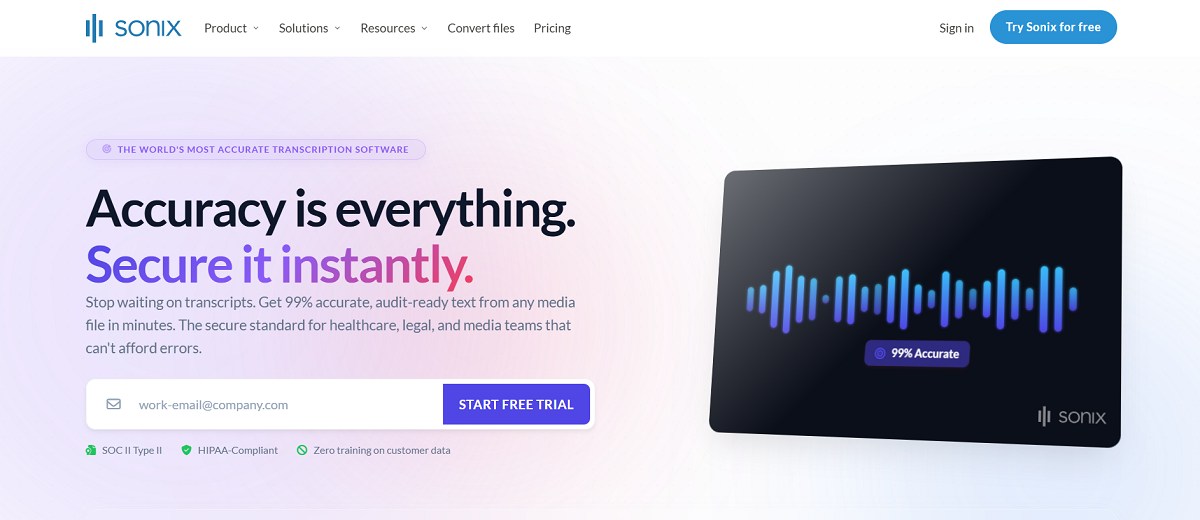
Sonix is an audio and video transcription platform that delivers fast, accurate and secure text from audio/video files. Sonix claims to be the world’s most accurate transcription software at 99% accuracy. Sonix also provides translation to over 54 languages, as well as features such as automatic subtitles, and AI-generated summaries, chapters, key quotes, action items, and sentiment analysis. The platform emphasizes structured, audit-ready outputs, with labeled speakers, topics, key statements, and action items, rather than a plain block of text.
Sonix positions itself for industries where accuracy/compliance is crucial: legal, medical (automatic PHI redaction), enterprise/government, and media. Sonix reports SOC 2 Type 2/HIPPA compliance, a zero-training policy for customer data, and ~6.2 million+ users. Sonix has not shared accuracy results for standardized datasets (Earnings-22, AMI- IHM, VoxPopuli). It supports over 60 languages and dialects with real-time and batch diarization support and has low reported latency (~250ms).
Key Features
Accurate Transcription: Transcribes spoken audio into written text with claimed accuracy of 99% in 54+ languages. Includes speaker diarization.
Translation Services: Translates transcripts into 60+ languages using neural machine translation technology.
Automatic Captions: Automatically generate frame-perfect captions directly onto video files.
AI-Generated Insights: Create summaries, chapters and sentiment analysis from your transcripts. Multi-transcript analysis allows you to find insights across entire folders of conversations.
Sonix Editor: Sonix's proprietary browser-based editor allows users to edit audio recordings by editing the text version of the audio.
Enterprise-Grade Security: SOC 2 Type 2 compliance, HIPAA compliance, AES-256 encryption, and a strict no training on customer data policy.
Third-Party Integrations: Integrates with Zoom, Microsoft Teams, Google Meet, Webex, Zapier, Adobe Premiere and more.
Recording Mobile App: Record audio directly in the field with Sonix's mobile recording app. Recordings and transcripts will automatically sync with your Sonix workspace.
Pros
- Strong compliance posture (SOC 2 Type 2, HIPAA, zero-training-on-data policy) suited to legal, medical, and government use cases.
- Complete AI analytics suite (summaries, chapters, sentiment) in addition to transcription.
- Outputs are structured (speakers, topics, key statements, action items) for downstream use.
- Integrates with many common meeting platforms and editing tools.
- Large, established user base with a long track record (operating since 2017).
Cons
- Hourly pricing instead of token/usage based (~$5/hour flat rate compared to token- or minute-based API pricing models like Modulate and Deepgram use), which makes usage harder to predict and budget at scale.
- Cloud deployment only. No self-hosted or on-premises option.
- Targeted towards individual and team use cases; not built for high-volume scale. No throughput or infrastructure guarantees that most enterprise API consumers require.
- Marketing emphasizes accuracy claims (99%, "world's most accurate") that are self-reported rather than benchmarked against the same standardized datasets used elsewhere in this comparison.
Rev
Overview
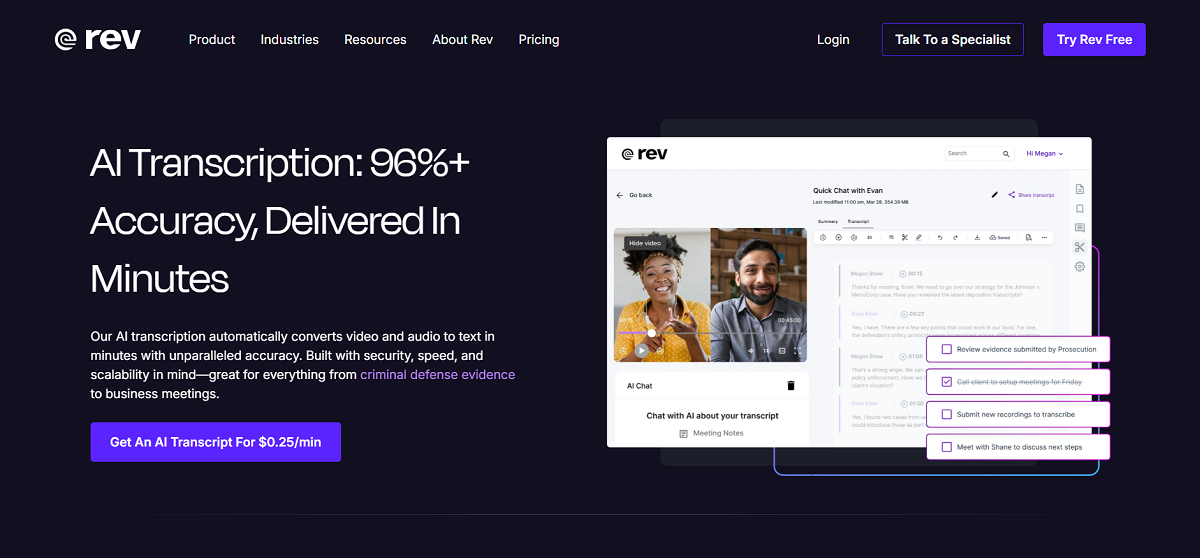
Rev's AI transcription service automatically transcribes video and audio files into text within minutes. The platform is engineered to scale securely, quickly, and worldwide for use cases ranging from criminal defense evidence to business meetings. Unlike most other players in this space, Rev provides both AI transcription as well as human transcription services and human verified services through the same platform, allowing customers to decide whether speed or highest accuracy is required. Rev says it transcribed 93.7 million hours of speech in 2025. The company has focused on automatic speech recognition technology since 2010.
Rev is particularly focused on legal/compliance sensitive workflows (prosecutions, defenses, law enforcement, and court reporting) as well as research, journalism, education and medical/healthcare. The company claims HIPAA, CJIS and SOC 2 Type II compliance, and no third-party sharing of data. Rev's Reverb ASR was trained using approximately 200,000 hours of audio. Accuracy results on standard benchmarks (Earnings-22, AMI-IM, VoxPopuli) have not been independently verified.
Key Features
AI and Human Transcription Available: Order quick-turn AI transcripts starting at $.25/minute or human transcription with a 99% accuracy guarantee starting at $1.99/minute, based on your needs.
Fast Turnaround: Your AI transcripts could be ready in less than 5 minutes.
Interactive Editor: Playback your original audio or video while you make changes to the text, timing and speaker names.
Legal-Specific Tools: Self-serve court reporting, bulk multi-file case analysis, and custom legal templates including cross-examination outlines and chronologies.
AI Meeting Notes: Automatically create meeting summaries and action items with Rev’s AI Notetaker, integrated with Google, Teams and Zoom.
Mobile Recording App: Free audio recording via Rev's mobile app for dictation and transcription from anywhere.
Multilingual Support: AI transcription is available in 58+ languages (58 asynchronous, 9 streaming), including Spanglish.
Compliance-focused Security: HIPPA, CJIS, SOC 2 Type II compliant with no sharing of data to third parties and end-to-end encryption designed for your most sensitive data.
Pros
- AI and human transcription services offered from a single platform. Helpful if some projects require 100% accuracy and others do not.
- Heavy emphasis on industries that are compliance or legal driven (CJIS/HIPPA compliance, legal-specific templates and workflows).
- Quick turnaround on AI transcripts (minutes vs. hours).
- Established track record with a large volume of speech transcribed (93.7M+ hours in 2025).
- Interactive editor and mobile app cover the needs of your entire transcription workflow, not just the API request.
Cons
- Accuracy scores on standardized benchmarks (Earnings-22, AMI-IHM, VoxPopuli) have not been independently validated.
- No streaming diarization support for real-time applications, such as live call monitoring or real-time agent-assis technologies.
- Supports fewer languages (58+ asynchronous, 9 for streaming) than some other multilingual transcription providers.
- AI prices ($0.25/minute) are higher than several API-first alternatives on a per-minute basis. However, it includes editing and workflow utilities those providers lack.
Verbit
Overview
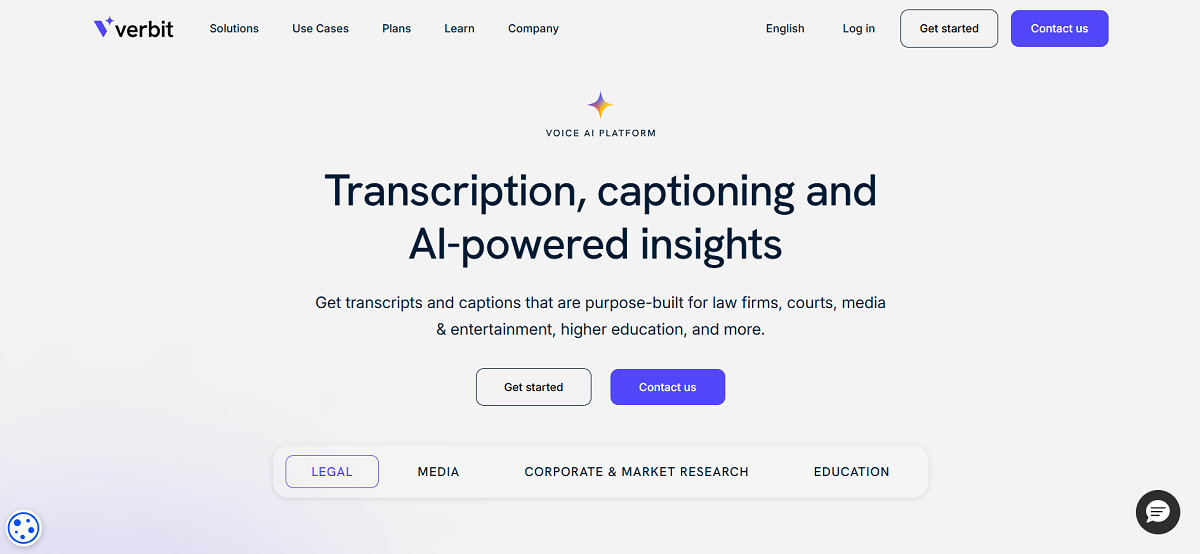
Verbit's transcription, captioning, and AI-powered insights are built specifically for law firms, courts, media and entertainment, higher education, and other regulated or accessibility-motivated businesses. Instead of offering a purely API-first approach to transcription like many of their competitors, Verbit pairs AI with a team of people who are there to help guide you, troubleshoot issues, and keep your projects moving (not just a self-serve AI tool). Verbit claims to power 3,000+ organizations including Google, Fox, Stanford, and Reuters.
Verbit specializes in captioning, transcription, audio description, dubbing, note-taking, and translation. These services are offered through specialty purpose-built products: Captivate™ (customizable Automatic Speech Recognition platform), Legal Visor (litigation insight platform), Campus Complete (ADA Title II compliance platform), and Legal Capture (court reporting platform). Verbit's primary positioning centers around compliance (ADA, FCC, Ofcom), security, and confidentiality. Captivate's accuracy has not been validated on standard benchmarks, and it offers support for 28+ languages but exhibits significantly higher streaming latency (~4 seconds) than its competitors.
Key Features
Captivate™ ASR: Tailored automatic speech recognition (ASR) for teams, designed for legal, media, corporate and education use cases.
Live Captioning and Transcription: Deliver live captions and transcripts of meetings, depositions, broadcasts and classrooms at any scale.
Legal Visor: Instantly gain actionable insights with real-time AI technology built specifically for attorneys and litigation teams.
Campus Complete: Helps colleges and universities comply with ADA Title II accessibility requirements.
Dedicated Human Support: A human support team that can help guide you through setup, troubleshoot issues, and manage projects.
Translation and Dubbing: Translate into 50+ languages with subtitles and dubbing tailored for streaming, media, and enterprises.
Compliance Support: Supports ADA, FCC, and Ofcom requirements and legal mandates, backed by data security and confidentiality practices.
Broad Integrations: Integrates seamlessly with platforms teams already use, including Zoom, Teams, Webex, Canvas, YouTube, and Vimeo.
Pros
- Strong focus on regulated/compliance-driven sectors such as legal, education, government, and media sectors. Has purpose-built products for each sector.
- Human support team (as opposed to purely self-serve AI-driven platforms).
- Robust compliance framework (ADA, FCC, Ofcom, etc.) required by many institutions facing legal accessibility requirements.
- Wide landscape of integrations with popular meeting platforms, LMS, and video systems.
- Large enterprise client base (over 3,000 customers, including many recognizable media and educational organizations).
Cons
- Production-level accuracy on common benchmarks (Earnings-22, AMI-IHM, VoxPopuli) is claimed but not independently verified.
- Higher streaming latency (~4 seconds), as compared to almost all other providers. This is a significant consideration for use cases that need low-latency streaming for real-time applications.
- Covers less languages overall (28+) than some more expansive multilingual providers.
- Does not support real-time diarization; diarization is only performed post-processing and in batch, so it’s not ideal for use cases that require live monitoring.
- More of a services-led company (human contact, custom onboarding) than an API-first self-serve product, which may result in higher price point and longer time-to-go-live for basic transcription needs.
Best AI-Powered Transcription Services Comparison Chart
What is an AI-Powered Transcription Service?
AI transcription services use automatic speech recognition (ASR) systems to automatically convert audio recordings into text. Transcription tools with speech to text technology automatically transcribe recorded audio without having a person listen to and type each recording. Instead of paying for a transcriptionist or manually listening to hours of recordings, users upload audio to ASR tools that analyze speech patterns with machine learning models trained on vast datasets.
Today's transcription services are much more than a verbatim transcript of spoken words. Speaker identification (speaker diarization), language detection, auto punctuation/formatting, sensitive information flagging/redaction (PII/PHI), and even detecting emotion, sentiment, or accent from audio are capabilities that modern transcription services may offer.
How AI-Powered Transcription Works
At a high level, these services accept an audio stream and run it through a speech recognition model. This model has been trained to map sound patterns to text. Top tier services train their models on hundreds of thousands to hundreds of millions of hours of real-world audio. This helps the speech recognition model deal with the variability found in the real world, such as background noise, multiple speakers talking over each other, unusual accents, colloquialisms and grammatical errors that wouldn't be found in a clean recording of someone reading from a script.
Transcription is typically offered in two modes:
- Batch (asynchronous) transcription: Upload an entire audio or video file. It will be processed, and returned to you as a transcript. Use batch transcription for recorded meetings, podcasts, call recordings, or other use cases where you already have access to the full audio file.
- Real-time (streaming) transcription: Audio is transcribed continuously as it’s captured. Transcripts are returned within milliseconds to a few seconds of live speech. Use real-time transcription for live captioning, voice agents, real-time contact center monitoring, and more.
Common Use Cases for AI-Powered Transcription Services
Businesses and consumers alike leverage AI transcription for various purposes, such as:
- Transcribing phone support conversations for coaching and quality assurance.
- Driving real-time voice agents and conversational AI experiences.
- Auto-generating meeting notes, summaries, and action items.
- Generating captions and subtitles for video content for accessibility and global reach.
- Supporting legal proceedings, depositions, and court reporting.
- Documenting clinical conversations for healthcare records.
- Creating searchable, analyzable archives of recorded conversations.
Transcription vs. Voice Intelligence
Transcription and voice intelligence are both speech technologies, but they’re different solutions that solve different problems. The differences between them become important when you're evaluating options, because the best tool for the job will depend on your goals: Do you need a record of the conversation, or do you need to understand what really happened in the conversation?
What Transcription Does
Transcription converts audio to text. That's all it does: output words onto a page from spoken words, with optional speaker labels, timestamps, and formatting. It's the basis for searchable archives of meetings, closed captions, legal documentation, and many, many downstream workflows. Every service mentioned in this guide offers some flavor of this service. And for a lot of use cases, a transcript is precisely what you need.
However, a transcript by itself has a significant flaw: It doesn't capture how something was said. Tone, emphasis, pauses for effect, raised voices, and intent are qualities perceptible within the audio, not within the written record. "I'm fine,” said in a measured, calm tone and "I'm fine" said through gritted teeth look exactly the same in a transcript, even though they mean very different things.
What Voice Intelligence Adds
Voice intelligence platforms aim to bridge this divide. Instead of analyzing a call as a transcript of text after the conversation has occurred, they assess the voice audio itself (tone, cadence, pauses, stress and other acoustic cues) in conjunction with the words being spoken to detect nuances a transcript cannot convey, such as escalating frustration, coached or scripted replies, possible fraud, or an AI bot on the other end of the line.
A clear example of this approach is Modulate’s Velma platform. Instead of attempting to assess a call after the fact by running an LLM against its transcript, Velma is constructed as an Ensemble Listening Model (ELM), a voice-native architecture trained to understand what’s happening in a conversation directly from the audio waveform itself, not merely the transcript produced by it. While LLMs are fine-tuned to predict and complete the next word in a block of text, Velma executes hundreds of specialized models in tandem to identify cues such as emotion and stress, inappropriate or unexpected behavior, manipulation, and AI-generated speech.
In practice, this shows up in a few ways:
- Real-time insight. Velma doesn’t generate a summary of a call after the fact. Instead, it creates time-stamped scores and events associated with moments in the conversation so teams can see exactly when risk increased, behavior changed, or intent was altered during the interaction.
- Orchestration and fusion. Individual signals are pieced together into higher-level assessments. Was this caller likely fraudulent? Should an agent escalate this call? Is an AI voice agent veering off topic? At the same time, a traceable path back to the underlying evidence is preserved.
- Cost and speed at scale. Because Velma isn’t tasking a general-purpose LLM with analyzing every conversation, it can be deployed for real-time, high-volume use cases at a fraction of the cost of LLM-based alternatives.
Which One Do You Need?
If all you really need is a transcript (meeting notes, captions, searchable archives, compliance records), then transcription alone may be enough. Most of the providers in this guide do that service quite well, and at low cost.
If your team needs insight into what’s happening within a conversation as it’s happening (detecting fraud and social engineering, shielding agents from abusive callers, overseeing AI voice agents, or extracting emotional and behavioral trends from thousands of interactions), voice intelligence platforms like Velma take transcription a step further, transforming raw audio into live, actionable insight rather than static text on a screen.
What to Look for in an AI-Powered Transcription Service
Not all speech recognition solutions are created equal, and the best fit will depend on your particular use case. Some of the top considerations include:
- Accuracy in realistic scenarios. WER scores on clean, read speech from public benchmarks don't necessarily translate to noisy, overlapping, accented audio, so see if any providers share benchmarks tested on conversational data.
- Latency requirements. Low streaming latency is important when transcript output will be displayed in real-time (voice agents, live captioning), but not necessarily for transcription of existing audio files.
- Language coverage. Language and accent support varies by provider, and within a provider the transcriptional accuracy can vary by language.
- Certifications and data retention policies. If you're transcribing sensitive information in regulated industries such as healthcare, legal, or financial services you may need providers that offer HIPAA, SOC 2, CJIS certifications and transparent data retention/redaction policies.
- Non-text signals. For use cases such as fraud prevention, customer experience analytics, and voice agent training, some providers offer additional signals such as emotion, sentiment, accent, and deepfake/ synthetic voice detection layered on top of basic transcription.
- Pricing and deployment model. Providers have different pricing structures (pay-by-hour, pay-by-minute, subscription) as well as hosting options (cloud API, self-hosted, on-premises). The right choice for your use case will depend on your transcription volume and your existing infrastructure.
Frequently Asked Questions
What is AI-powered transcription?
AI-powered transcription is when audio is turned into written text through automatic speech recognition (ASR) technology instead of manually typing what someone says. It usually comes with additional features such as speaker labels, timestamps, and punctuation.
How do batch and real-time (streaming) transcription differ?
Batch transcription takes an entire finished audio or video file, processes it, and returns a transcript of the full file, usually within minutes. Real-time (streaming) transcription ingests audio continuously as it's captured from a source, returning text within milliseconds to a few seconds. Use batch for transcribing recorded meetings, podcasts, or call recordings. Use streaming for live captioning, voice agents, and real-time contact center monitoring, where we found meaningful differences in latency between providers in this guide.
What is speaker diarization, and is it supported by all providers?
Speaker diarization determines who said what during a conversation with multiple speakers. It labels each utterance by speaker instead of returning a single undifferentiated block of text. Most providers featured in this guide offer diarization for batch processing, but not all offer real-time diarization. Some services provide diarization only after the recording is complete. If you need to know who's speaking on a call as it's happening, diarization availability is a key factor.
Is AI transcription HIPAA compliant and secure for use in regulated industries?
It depends which vendor and plan you select. Many services featured in this guide offer HIPPA compliance (for healthcare use cases), SOC 2 Type II certification (for broad enterprise security compliance) and CJIS compliance (for law enforcement/legal use cases) as well as other features such as PII/PHI redaction and data residency options. Not all providers will offer the same certifications, so be sure to verify your industry’s specific compliance needs prior to selecting a solution.
What influences latency, and when does latency matter?
Latency, the time it takes for a provider to return text after speech has been spoken, is impacted by the model architecture, the audio processing pipeline, and whether you've sent an endpoint a request optimized for speed versus one with additional metadata like diarization and emotion detection. Latency is most important when building real-time applications. Voice agents, live captioning, and in-call alerting all require low latency to feel natural to users or provide value in the moment. Latency is far less important when transcribing pre-recorded files where accuracy is prized and there is no human on the other end waiting for quick results.
How accurate is AI transcription compared to human transcription?
Major players in the AI space now claim between 85–95%+ accuracy on clean audio. Some vendors claim higher, up to 99%. Human transcription is generally more accurate than AI when it comes to challenging audio (heavy accents, low quality audio, or technical jargon), which is why some providers offer human transcription/review as an add-on service for high-risk applications.
What is Word Error Rate (WER), and how should I use it to compare providers?
WER compares the accuracy of a machine transcript against a human verified transcript. Errors are counted as a percentage of total words, the lower the better. When comparing WER between providers, see what dataset the score is from (real world conversational audio such as AMI-IHM or VoxPopuli is more valuable than a clean benchmark) and if the score was independently verified or self-reported.