10 AI Monitoring Templates for Smarter AI Oversight
Best Call Center Monitoring Software: 9 Platforms Compared (2026)
May 14, 2026

Call center monitoring software has become a fraud-control layer, not just a QA tool. Tech and customer support scams drove $2.1 billion in reported losses in 2025, part of a record $20.9 billion in internet crime losses tracked by the FBI's 2025 IC3 Annual Report, up 26% from 2024. Much of that damage moves over the phone through social engineering, account takeovers and synthetic voices that a call recording alone will never catch.
Call recordings alone won’t give you the full picture of what’s happening inside your contact center.
Below we built an interactive tool to help you find the right software for your company's specific needs:
 ●MODULATE
Call Monitoring Software Comparison
●MODULATE
Call Monitoring Software Comparison
Compare 9 call center monitoring platforms
Search, filter by capability, deployment and pricing, and sort any column. Tap a capability chip to show only platforms that fully offer it.
| Platform | Core focus | Real-time | Fraud | Deepfake | Toxicity | Agent assist | Deployment | Pricing |
|---|
Compiled by Modulate from public product information, 2026. Ratings: Yes (full), Limited, No. A buyer aid, not an endorsement; verify current capabilities with each vendor.
In this buyer’s guide, we’ll compare the top platforms and highlight features, pros, and cons to help you select the best solution for your contact center.
In this article:
- Modulate
- Verint
- NICE
- CallMiner
- Observe.ai
- Talkdesk
- Five9
- Level AI
- Qualtrics
- Best Call Center Monitoring Software Comparison Chart
- Why Do You Need Call Center Monitoring Software?
- Types of Call Center Monitoring Software
- How to Choose the Best Call Center Monitoring Software
- Frequently Asked Questions
If you need the methods before the vendors, start with our guide to call center monitoring. For the market context behind this comparison, see our overview of call center trends for 2026.
Top Call Center Platforms
Modulate
Overview
Modulate develops voice intelligence technology that allows contact centers to understand what’s happening inside customer calls. Alongside the words being said, our platform analyzes tone, emotion, conversation dynamics, behavioral cues, and acoustic signals like stress, cadence, and voice breaks directly from voice audio and provides contextual understanding, not just transcripts.
Within contact centers, the platform serves as an observation layer that operates live or in conjunction with calls. You’re alerted when a call enters risky territory or reaches high emotional levels. Managers gain insight into customer emotions, agent behavior, and potential fraud in real time without having to listen to calls.
Modulate’s technology can be applied to numerous use cases since it analyzes voice behavior. Teams are deploying it to monitor customer support calls, identify social engineering, detect AI voices, and shield agents from abuse. You gain transparent awareness into your conversations and can act swiftly if issues are detected.
Key Features
Real-Time Voice Monitoring: Instantly detect problems like escalation, frustration, harassment, suspicious callers on live calls. Get alerted in real-time.
More Than Just a Transcript: Velma assesses tone, cadence, pauses, and other auditory cues that allow it to analyze the context of a conversation along with the words being said, uncovering emotion and intent not found in a traditional call transcript. This creates a transcript with context, including emotion, intent, and subtleties in conversation. This allows users to quickly understand the nuances of interactions.
Fraud and Social Engineering Detection: Flag suspicious and escalate voice manipulations and patterns that indicate account takeover fraud and social engineering attacks.
Deepfake Voice Detection: Modulate’s platform analyzes the audio signal to detect spoofed, synthetic or cloned voices.
Emotion and Sentiment Analysis: Measure emotional cues like stress, anger, urgency. Use emotion analysis to gain additional insight into CX and surface calls for review.
Conversation Insights and Analytics: Review trends across conversations. Listen to flagged calls, determine training opportunities, and monitor for service quality.
Agent Protection and Safety: Agents aren’t alone when facing abusive customers. Detect threatening behavior during calls. Supervisors are automatically alerted if an agent is on a harassing or abusive call.
Works with Leading Contact Center Platforms: Modulate integrates with your existing telephony and contact center solution. Add intelligent voice monitoring without replacing your call infrastructure.
Pros
- Provides insight into tone, emotion, and behavioral signals beyond transcript data
- Identifies attempted fraud, social engineering, and synthetic voice calls
- Recognizes escalation patterns and abusive callers as they happen
- Helps supervisors monitor agent performance and customer sentiment
- Provides post-call analytics to improve training and quality assurance
- Integrates with existing contact center and telephony platforms
Cons
- Teams handling a small volume of calls/audio (e.g., only a few hours each month) may not be positioned to leverage the full value of advanced voice intelligence features
- Voice analytics insights require training for teams new to conversation analysis
Verint
Overview
Verint offers a customer engagement platform that organizations use to observe and analyze how customers interact through contact center channels. Verint's suite of products merges call recording, speech analytics, quality management, and workforce engagement into a single platform. Contact center analysts utilize Verint to listen and review conversations, assess agent performance, and discover CX issues at scale. Verint transcribes recorded or live calls as they happen, analyzes them based on keywords and phrases used, and uses sentiment analysis so managers can measure trends, report compliance, and optimize service operations.
Key Features
Speech and Interaction Analytics: Verint automatically transcribes customer calls then analyzes transcripts with configured keywords and text-based sentiment analysis. Managers can view insights on why customers are calling and how agents are interacting.
Quality Monitoring: Verint can assist with call scoring and quality management processes with the use of keyword-based reference docs built around pre-configured workflows and topics of discussion.
Call Volume Monitoring: Verint tracks call volume to allow managers to monitor agent workloads and determine when to scale staffing levels up or down.
Interaction Monitoring: Verint can gather interaction data from connected channels (voice, chat, messaging) as well as from third-party channels like review sites. Collection is based on keywords and helps teams analyze feedback and customer interaction trends.
Sentiment & CX Analysis: Verint analyzes conversation transcripts and other text-based interaction data to understand sentiment and track customer trends over time. Teams can use these insights to pinpoint service deficiencies and agents that need coaching.
AI Automation Bots: Automate processes like quality scoring, workflow actions, and CX reporting so your contact center team can focus on higher level analysis.
Pros
- Comprehensive platform covering call monitoring, analytics, and workforce management
- Strong speech analytics tools that process large volumes of calls
- Omnichannel monitoring across voice, chat, and digital channels
- Automation tools reduce manual QA and reporting work
- Widely used by large enterprise contact centers
Cons
- Platform complexity increases implementation time
- Many features require configuration and training
- Pricing typically targets large enterprises
- Voice analysis relies heavily on transcripts and keyword detection rather than deeper acoustic signals
NICE
Overview
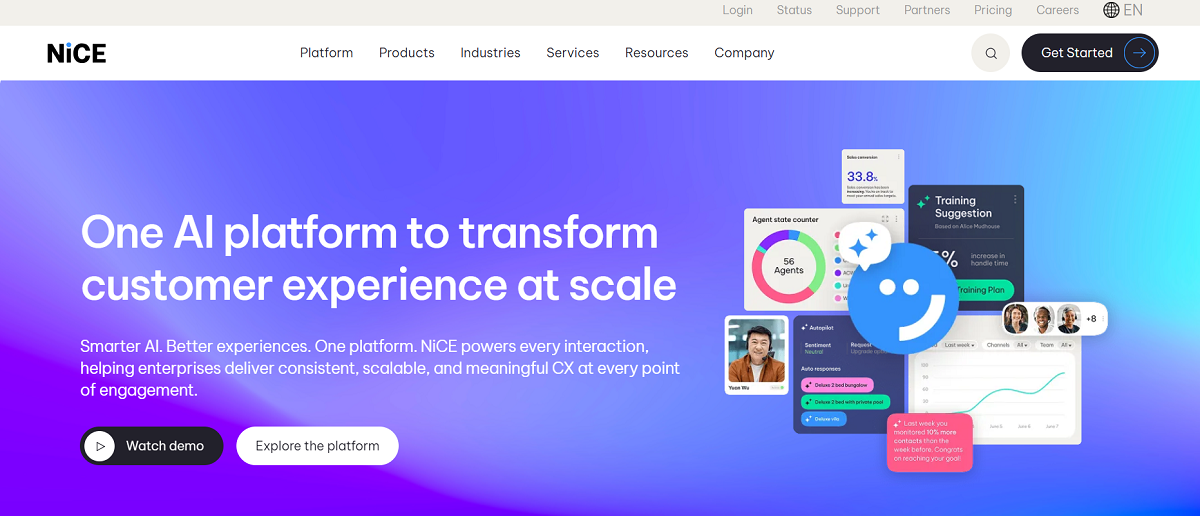
NICE offers cloud contact center software and analytics that organizations can use to track customer interactions. CXone is a contact center suite that includes call routing, speech analytics, workforce management, and artificial intelligence-powered interaction analytics in one platform. With NICE, contact center agents can review conversations, monitor agent activity and discover CX patterns across voice and digital channels. Interaction data can be analyzed using transcription, keyword spotting and sentiment scoring so managers can identify trends, pinpoint compliance risks and enhance service operations.
Key Features
Text-Based Speech and Interaction Analytics: Extracts sentiment, key phrases, and common problems mentioned throughout customer interactions by analyzing call transcripts and text captured from digital interactions.
Real-Time Call Monitoring: Allows supervisors to monitor conversations as they occur with alerts when predetermined words, risky behavior, or escalation keywords are detected during a conversation.
Omnichannel Interaction Analytics: Conversations happening across voice, chat, email and social channels are tracked by the platform providing contact centers with visibility into all customer interactions.
Interaction Analytics: Teams can build custom coaching workflows based on topics, sentiment, and key phrases mentioned during customer interactions. These rules can then trigger coaching events, flag conversations, and allow teams to spot service trends based on keywords or phrases.
Predictive Behavioral Routing: Routes interactions to the agent best qualified to handle that conversation based on behavioral information and previous interactions.
Workforce Optimization: The platform’s scheduling, quality monitoring and performance management tools assist contact centers with staffing needs and increasing agent productivity.
Pros
- Monitors, analyzes and manages your contact center workforce from a single platform
- Includes powerful speech and interaction analytics
- Real-time notifications allow supervisors to quickly address customer interactions
- Omnichannel monitoring across voice and digital channels
- Scales well for large contact center environments
Cons
- Platform complexity increases implementation time
- Pricing typically targets large enterprises
- Many features require configuration and training
- Voice analysis relies heavily on transcripts and keyword detection rather than deeper voice behavior signals
CallMiner
Overview
CallMiner offers conversation analytics software that enables organizations to understand what’s happening in customer interactions on contact center channels. CallMiner Eureka automatically records and analyzes voice and digital conversations and uncovers trends, text-based sentiment and anger detection within conversations, as well as variance against a predefined checklist of events.
CallMiner records calls, detects sentiment, and automatically classifies calls using AI, transforming your conversations into searchable data. Using CallMiner, teams analyze conversations to monitor agents, identify patterns to improve CX, and manage service quality and compliance risks.
Key Features
Speech and Conversation Analytics: Transcribes customer calls and analyzes conversation language, sentiment and keywords to detect trends and what customers are talking about.
Omnichannel Conversation Intelligence: CallMiner records and analyzes every call, chat, email, and social media conversation so you have a holistic view of customer experience.
Automatic Interaction Assessment: Automatically scores calls and evaluates agent performance against defined keyphrase-based metrics checklists to ensure quality standards are maintained.
Real-Time Alerts: Receive alerts when a conversation includes risk keywords such as violations of compliance language or negative sentiment.
Multi-modal Sentiment Detection: Language and limited acoustic AI models detect sentiment and emotional triggers of customers during calls.
Keyword Analysis and Trend Detection: Analyzes conversations to detect keywords or phrases associated with recurring problems and trending topics across your entire conversation portfolio.
Conversation Intelligence Dashboards: Visualize trends and metrics from calls, conversations and agents to help supervisors manage and improve business operations.
Pros
- Data classification for large volumes of conversations
- Omnichannel monitoring across voice and digital interactions
- Automated scoring helps standardize quality assurance processes
- Real-time alerts highlight compliance or service issues
- Analytics reveal trends and root causes behind customer problems
Cons
- Platform focuses heavily on transcript and text analysis
- Interface and analytics tools can take time to learn
- Implementation requires configuration and integration work
- Pricing targets mid-size and enterprise contact centers
Observe.ai
Overview
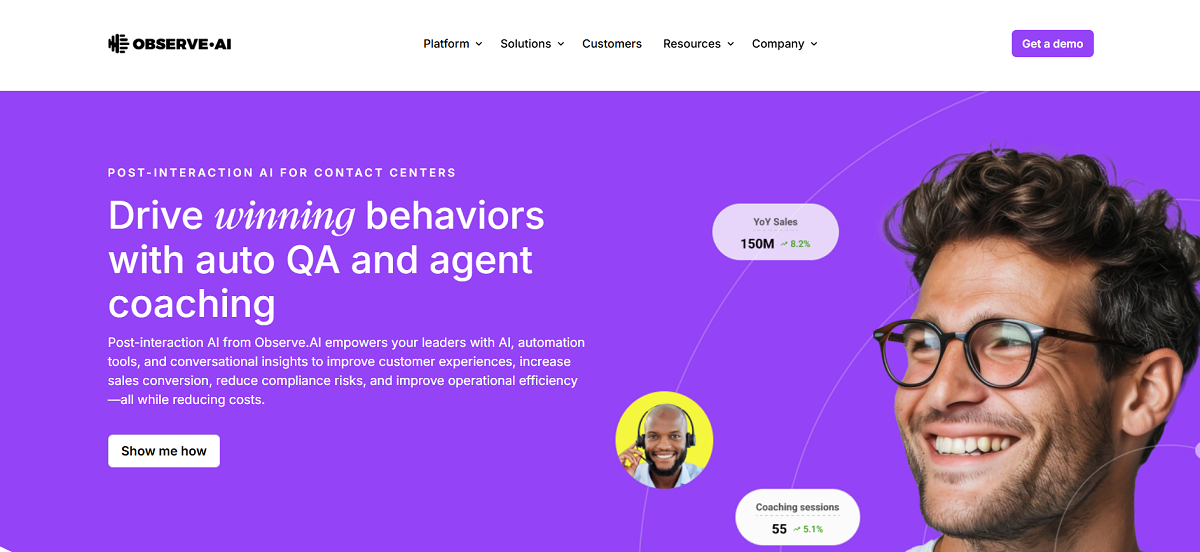
Observe.AI sells conversation intelligence software for contact centers. The software platform analyzes customer conversations across voice and digital channels to give teams visibility into what's happening inside their conversations. Observe.AI automatically transcribes calls, detects sentiment, uncovers patterns with AI and natural language processing. Leaders use the actionable insights gleaned from call analytics to optimize agent performance, compliance, and customer experience. Observe.AI analyzes hundreds of thousands of interactions across a contact center to surface trends, customer intent, and business issues.
Key Features
Conversation Intelligence Analytics: Capture and analyze interactions across voice, chat, email and other channels to discover trends, customer sentiment and operational insights.
Speech Transcription and NLP Analysis: Observe.ai transcripts calls and uses natural language processing to highlight keywords, customer intent and topics commonly discussed.
Auto QA (Automatic Quality Assurance): Automatic conversation analysis using AI, allowing teams to review 100% of conversations vs. sampling.
Real-time Agent Coaching: Software listens to agent calls as they're happening and can offer recommendations based on sentiment and keyword cues to agents in-real-time.
Agent Coaching and Performance Insights: Managers gain insight into agent performance and receive coaching tips based on trends in time, sentiment and variance from ideal scripts found across conversations.
Omnichannel Conversation Monitoring: Speech intelligence solutions that include the ability to analyze customer conversations across voice, chat, SMS and more.
Compliance and Risk: Speech analytics software can detect potential compliance risks and flag conversations that may contain policy violations using keyword detection with existing or custom templates.
Pros
- Analyzes large volumes of customer interactions across multiple channels
- AI-powered QA evaluates 100% of conversations automatically
- Real-time agent guidance improves call handling during live conversations
- Strong templates for coaching, training, and performance monitoring
- Helps contact centers identify trends affecting customer experience
Cons
- Heavy reliance on transcription and text-based analysis
- Implementation and integration can take time in large environments
- Platform complexity requires training for contact center teams
- Pricing typically targets mid-size and enterprise contact centers
Talkdesk
Overview
Talkdesk's cloud contact center software helps organizations track and oversee voice and digital interactions with customers. Features include call monitoring, call recording, analytics and AI derived interaction insights. Talkdesk allows supervisors to monitor live calls, access call recordings and review conversations to gather data that can be used to analyze agent performance. Because Talkdesk is cloud based, agents can monitor calls and run their contact centers remotely. Analytics dashboards and AI give teams the ability to monitor trends in customer conversations.
Key Features
Live Call Monitoring: Listen to live customer calls to ensure agents adhere to quality and compliance guidelines.
Call Recording and Conversation Capture: Record customer calls for your teams to use in coaching, quality assurance, and compliance monitoring.
Call Barging and Whisper Coaching: Agents with customers can be joined by managers for support if a call goes south or to coach in real time.
AI Speech and Conversation Analytics: Talkdesk’s speech analytics and AI technology analyzes customer interactions to surface trends, sentiment, and repeat problems.
Real-Time Dashboards and Reporting: Keep track of call center performance with metrics and live dashboards that monitor call volume, service level, productivity, and more.
Agent Assist and Real-Time Transcription: Use artificial intelligence (AI) to transcribe calls as they happen and deliver next-best actions or suggested knowledge articles.
Pros
- Cloud-based platform that supports remote and distributed contact center teams
- Real-time monitoring tools help supervisors listen into live calls
- Uses artificial intelligence (AI) to identify trends and determine sentiment
- Pre-built dashboards allow managers visibility into contact center operations
- Includes agent assistance and workflow automation tools
Cons
- Platform configuration can take time in large deployments
- Many advanced analytics features require additional setup
- Pricing information is not publicly listed
- Voice analysis relies heavily on transcription and text analytics rather than deeper acoustic signals
Five9
Overview
Five9 offers a cloud contact center platform that enables organizations to monitor and manage customer interactions over voice and digital channels. Call monitoring, call recording, interaction analytics and workforce management features are built into one platform. Supervisors have dashboards, reporting and conversation analytics tools to monitor agent activity, review conversations and identify trends in customer experience. Since the contact center platform runs in the cloud, organizations can scale quickly and efficiently while monitoring calls and analyzing performance as it happens.
Key Features
Call Monitoring and Recording: Supervisors monitor agent interactions in real-time and listen to recorded conversations later to assess service levels and coach agents on compliance.
Real-Time Performance Dashboards: Managers can keep an eye on contact center metrics through customizable dashboards and alerts that show queue volume, agent availability and performance.
Interaction and Conversation Analytics: Five9 can analyze voice and digital interactions to identify trends, customer issues and agent behaviors.
Intelligent Call Routing: Route calls to the best available agent based on skills, availability and customer requirements.
Quality Management and Coaching Tools: Quality management solutions assess customer interactions and help supervisors coach agents with recorded conversations and performance metrics.
Reporting and Analytics Tools: Five9 delivers real-time and historical reporting, allowing contact center managers to track KPIs and operational inefficiencies.
Pros
- Cloud-based platform that scales easily for growing contact centers
- Real-time dashboards provide visibility into agent and queue performance
- Built-in call monitoring and recording support quality assurance programs
- Interaction analytics helps identify customer experience trends
- Intelligent routing improves call handling and resolution rates
Cons
- Platform configuration and integrations can take time
- Many analytics and automation features require setup
- Pricing information is not publicly listed
- Voice analysis relies heavily on transcripts and interaction data rather than deeper acoustic signals
Level AI
Overview
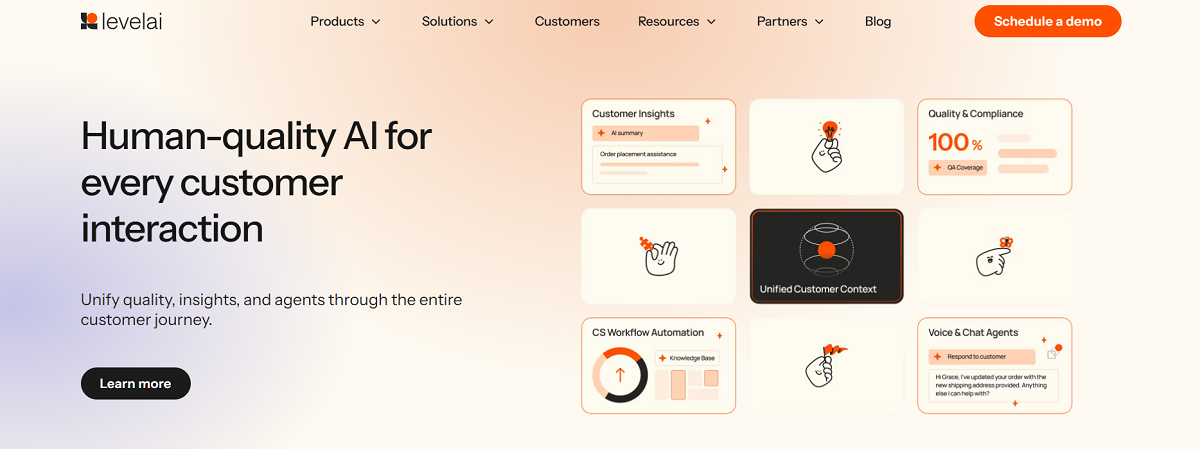
Level AI is a conversation intelligence platform for contact centers. Level AI analyzes customer conversations from voice, chat, and email to identify intent, sentiment, and operations insights. Leveraging natural language understanding and generative AI, Level AI transforms conversations into searchable, structured data that can be analyzed and included in reports. With Level AI, contact center leaders automate quality assurance, track agent performance, and discover customer behavior trends across every interaction.
Key Features
Conversation Intelligence Analytics: Automatically discover customer intent, sentiment, and frequently occurring topics throughout calls, chats, and emails.
Automated Quality Assurance: Have Level AI listen to 100% of your conversations and provide supervisors with a comprehensive view into agent compliance and service quality.
Real-Time Agent Assistance: Give agents real-time assistance during conversations by providing knowledge base articles, recommendations, and next-best-actions.
Intent Detection: Detect why customers are contacting support and how issues are resolved throughout the conversation with NLP technology.
Conversation Tagging and Summaries: Automatically tag calls and transcribe conversations, generate conversation summaries and auto populate post call disposition to minimize agent admin.
Dashboards and Reporting: Monitor trends in customer satisfaction, agent activity and operational issues throughout your contact center with customizable dashboards and reports.
Pros
- Automates quality assurance across 100% of customer interactions
- Real-time guidance helps agents handle calls more effectively
- AI-driven analytics reveal customer intent and service trends
- Supports voice and digital channels in one platform
- Integrates with existing contact center infrastructure
Cons
- Heavy reliance on transcription and language analysis
- Platform configuration requires setup and training
- Pricing information is not publicly listed
- Advanced analytics features may exceed the needs of smaller support teams
Qualtrics

Overview
Qualtrics offers customer experience and contact center analytics applications on its XM platform. Contact centers gather feedback, call and interaction data and measure how customers perceive their experience. Agents track performance, satisfaction trends and pinpoint problems. Qualtrics unifies surveys, interaction analytics, sentiment detection and AI-powered insights so contact centers can link operation metrics to customer feedback and rapidly respond to service issues.
Key Features
Contact Center Quality Management: Automatically score interactions and track agent performance to help you measure your service quality and compliance standards across conversations.
Customer Experience Intelligence: Qualtrics Customer Experience Intelligence discovers trends in customer satisfaction, effort and common service issues by analyzing customer interactions and feedback across channels.
Voice of the Customer (VOC) Programs: Automatically collect survey feedback, digital channel analytics and customer interactions to help you understand what your customers are thinking and expecting.
AI-Assisted Analysis and Insights: Use artificial intelligence to surface the highest-volume topics mentioned in unstructured feedback and interactions, predict churn risk and receive recommendations for driving CX improvements.
Interaction and Agent Coaching: Capture and automatically score interactions and identify opportunities for agent coaching and training.
Pros
- Strong customer experience analytics and Voice of the Customer tools
- Connects customer feedback with operational contact center data
- AI identifies trends, service issues, and churn risks
- Automated quality scoring helps monitor agent performance
- Supports omnichannel feedback and interaction analysis
Cons
- Focuses more on feedback and experience analytics than direct call monitoring
- Implementation can be complex in large organizations
- Pricing typically targets enterprise environments
- Some organizations need additional tools for deep conversation analytics or call monitoring
Best Call Center Monitoring Software Comparison Chart
●MODULATE
Call Monitoring Software Comparison
How 9 call center monitoring platforms compare
Modulate, Verint, NICE, CallMiner, Observe.ai, Talkdesk, Five9, Level AI and Qualtrics across 22 capabilities. Scroll sideways to see every platform. The feature column stays in place.
| Feature | Modulate | Verint | NICE | CallMiner | Observe.ai | Talkdesk | Five9 | Level AI | Qualtrics |
|---|---|---|---|---|---|---|---|---|---|
| Core Platform Focus | Real-time voice intelligence & safety | Workforce engagement & analytics | CCaaS platform with AI analytics | Conversation intelligence & speech analytics | AI QA automation | Cloud contact center platform | Cloud contact center platform | AI QA & coaching platform | Experience management & VoC analytics |
| Deployment Model | Cloud / API | Cloud & hybrid | Cloud (CCaaS) | Cloud | Cloud | Cloud | Cloud | Cloud | Cloud |
| Pricing Model | Custom enterprise | Enterprise subscription | Enterprise subscription | Enterprise subscription | Enterprise subscription | Subscription | Subscription | Subscription | Subscription |
| Free Trial/Demo | Demo | Demo | Demo | Demo | Demo | Trial / demo | Demo | Demo | Demo |
| Call Recording | Integration-based | Yes | Yes | Yes | Yes | Yes | Yes | Integration-based | Integration-based |
| Real-Time Conversation Monitoring | Yes | Limited | Yes | Yes | Yes | Yes | Yes | Yes | Limited |
| Call Transcription | Yes | Yes | Yes | Yes | Yes | Yes | Yes | Yes | Yes |
| Interaction Analytics | Yes | Yes | Yes | Yes | Yes | Yes | Yes | Yes | Yes |
| Speech Analytics | Yes | Yes | Yes | Yes | Yes | Yes | Yes | Yes | Limited |
| Sentiment Detection | Yes | Yes | Yes | Yes | Yes | Yes | Yes | Yes | Yes |
| Conversation Understanding | Advanced | Moderate | Moderate | Moderate | Moderate | Moderate | Moderate | Moderate | Moderate |
| Topic Detection | Yes | Yes | Yes | Yes | Yes | Yes | Yes | Yes | Yes |
| Automated QA Scoring | Limited | Yes | Yes | Yes | Yes | Yes | Yes | Yes | Limited |
| Real-Time Agent Assist | Limited | Yes | Yes | Yes | Yes | Yes | Yes | Yes | No |
| Alerts & Risk Detection | Yes | Yes | Yes | Yes | Yes | Yes | Yes | Yes | Limited |
| Agent Performance Analytics | Limited | Yes | Yes | Yes | Yes | Yes | Yes | Yes | Limited |
| Coaching Tools | Limited | Yes | Yes | Yes | Yes | Yes | Yes | Yes | Limited |
| Compliance Monitoring | Yes | Yes | Yes | Yes | Yes | Yes | Yes | Yes | Limited |
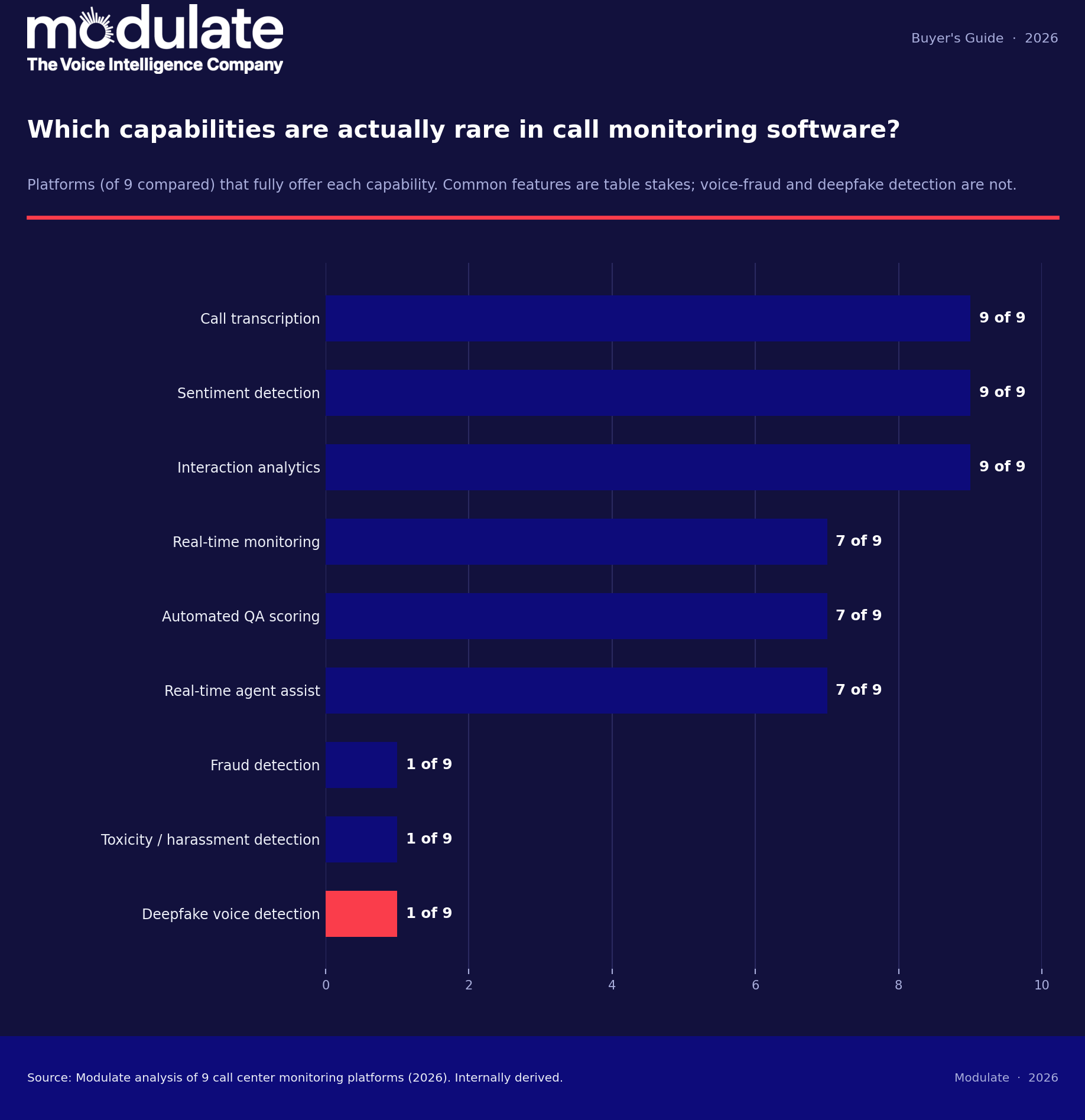
| Fraud Detection | Yes | Limited | Limited | Limited | Limited | Limited | Limited | Limited | No |
| Toxicity/Harassment Detection | Yes | Limited | Limited | Limited | Limited | No | No | Limited | No |
| Deepfake Detection | Yes | No | No | No | No | No | No | No | No |
| Omnichannel Monitoring | Voice-focused | Yes | Yes | Yes | Yes | Yes | Yes | Yes | Yes |
Compiled by Modulate from public product information, 2026. Yes = full capability, Limited = partial, No = not offered. Verify current capabilities with each vendor.
Why Do You Need Call Center Monitoring Software?
Monitoring your contact center gives you visibility into customer conversations. Without it you only hear a fraction of calls and reviews are manual, time-consuming, and outdated by the time you take action.
Call monitoring software puts useful information about those conversations at your fingertips so you can improve service and reduce risk.
Here are the benefits you can expect.
Gain Complete Visibility into Every Call
With call monitoring software you’ll have access to every interaction happening within your contact center. Live call listening, call recordings, reporting and analytics allow managers and supervisors to pinpoint coaching opportunities and address operational weaknesses.
Catch Service Issues Early
Monitoring puts the tools you need to improve service performance right where you need them. Instead of finding out about problems weeks later, you discover them quickly during reviews so your team can course correct while the situation is still fresh.
Act on Customer Insights
Omnichannel contact centers generate thousands of conversations every day. Monitoring and analytics software uncovers trends across these interactions. See what customers are saying, what questions they frequently ask, and where processes fail.
Reduce Compliance Risks
Recording and monitoring conversations ensures that your team is following scripts, disclosures, and compliance policies. Having an audit trail greatly reduces your risk if a customer decides to file a complaint or claim.
Define Quality with Objective Metrics
Call monitoring software allows you to create scoring guidelines based on objective data. Manage scoring with customizable guidelines so reviewers focus on conversations that matter.
Monitor for Fraud
Advanced platforms utilize voice analytics to detect social engineering, account takeovers, and synthetic voices.
Broaden Your Scope to Include Digital Channels
Agents work in omnichannel environments. Calls, email, chat, and digital messaging are all happening at once. Conversation monitoring platforms help you see across channels so you can improve the entire customer experience.
Call center monitoring software gives you control. Use the right platform to create objective scoring guidelines, reduce risk, and make sure your agents are providing the service your customers expect.
Types of Call Center Monitoring Software
Call center monitoring software comes in several forms. Some products record calls and playback agent interactions for review. Other platforms use AI to analyze conversations and discover trends from thousands of interactions. Here are the primary categories of call monitoring tools to help you select the best solution for your contact center.
Call Recording and Live Monitoring Tools
Call monitoring tools record conversations and allow supervisors to listen to agent calls live or playback recorded calls. Managers use them to assess the quality of customer service, ensure brand compliance, and coach agents.
Quality Management (QA) Software
Quality assurance platforms provide teams with tools to analyze agent performance with scorecards and review workflows. Most automate call scoring to help supervisors review more conversations and focus coaching efforts.
Speech and Conversation Analytics Platforms
These systems analyze conversations using transcription and AI. They detect sentiment, keywords, and patterns to reveal customer issues and service trends.
Real-Time Agent Assist Tools
Speech analytics tools use transcription and AI to analyze customer conversations. They surface sentiment, keywords, and patterns to identify issues and trends in your customer service.
Omnichannel Interaction Monitoring Software
Voice calls are only one part of most modern contact centers. With chats, email, and SMS/texting, omnichannel monitoring software provides teams with the tools to track customer conversations across all channels.
It’s common for platforms to provide multiple features from the categories listed above. One software solution may offer call recording, conversation analytics, agent monitoring, and real-time agent coaching.
How to Choose the Best Call Center Monitoring Software
First, understand your goals. Are you looking to improve agent coaching? Compliance and fraud detection? Or maybe you want visibility into your customer experience. Knowing where your teams should improve helps you find monitoring software that addresses your biggest pain points.
Essential features to look for include call recording, live listen, and call review functionality. Monitoring software should also allow supervisors to coach agents while they’re on live calls using call whisper, call barge, or other similar features.
Then look at analytics and reporting. The best monitoring software turns your conversations into actionable data. With reporting tools, you can identify trends, track agent performance, and discover common customer issues.
AI and automation features are also important. Many modern monitoring tools will automatically analyze conversations and surface calls that require review. This can help monitoring teams review more conversations while reducing manual tasks.
Ensure the software integrates with your other systems. This could include your CRM software, contact center software, or other tools your teams are already using. Robust integrations can help reduce manual tasks and help maintain a single source of customer truth.
Usability and scalability matter too. You’ll want software that your teams can pick up easily and use to meet your goals. Additionally, make sure the tool you select can scale with your contact center.
Analytics depth is one of the axes below, and our guide to call center analytics explains what good looks like.
Frequently Asked Questions
How does call monitoring software work?
Call monitoring software records customer interactions through call recording or live call monitoring. Many tools then use transcription, sentiment detection, and analytics software to analyze conversations and surface trends, quality gaps, and compliance risks.
What is the difference between call monitoring and speech analytics?
Call monitoring describes the process of listening to live or recorded calls to assess agent performance. Speech analytics is a technique that can review large volumes of recorded calls using AI to detect sentiment, topics, and patterns across calls.
Can call monitoring software analyze calls automatically?
Yes. Many modern call monitoring systems include automatic conversation analysis powered by artificial intelligence. AI software can automatically detect sentiment, route caller issues to specific departments, flag contacts for compliance issues, and more.
Does call monitoring software assist with compliance?
Yes. Many companies implement monitoring software to ensure that customer service agents are following prescribed scripts and making necessary regulatory disclosures. Call monitoring creates records of agent contacts and can automatically analyze calls for compliance issues.
Can call monitoring help detect fraud or suspicious callers?
Yes. Some call monitoring software analyzes voice signals, behavior patterns, or language used during phone calls to detect social engineering scams, identity fraud, and suspicious caller activity.