
Best Voice Analytics Software: 10 Leading Voice Analytics Platforms Compared
Best Sentiment Analysis Software: 11 Sentiment Analysis Tools Compared
October 5, 2026


Positive or negative sentiment scores alone won’t tell you why someone is feeling that way.
Sentiment analysis applications span basic text classifiers all the way up to emotion, intent and mixed sentiment detection platforms that work directly from voice audio. Advanced solutions can alert you to a frustrated caller in real time, attribute sentiment to revenue and churn drivers, and automatically respond before the call concludes.
In this guide, we review best-in-class sentiment analysis software and outline their features, pros and cons so you can choose the right solution for your contact center.
In this article:
Out-of-the-Box CX / Conversation Intelligence Platforms
- Velma by Modulate
- Qualtrics XM
- Medallia Experience Cloud
- Dialpad
- Inya Insights (Aura365)
- InMoment
- Talkdesk
Developer-First APIs (NLP Engines)
CX / Conversation Intelligence Platforms
Velma by Modulate
Overview
Velma models power Modulate's conversational voice intelligence platform. Unlike most other providers on this list, Velma was designed specifically to analyze live and recorded call center conversations, not just text transcripts. Rather than using a large language model to interpret a transcript, Velma operates on an Ensemble Listening Model (ELM). This is an orchestrated collection of specialty detectors that listen directly to audio for tone, stress, and emotion; pacing and cadence; as well as other acoustic signals alongside the words themselves. This voice-native approach allows Velma to flag entity-level sentiment and emotional changes throughout a single call, instead of simply analyzing and scoring sentiment at the sentence or call level.
Velma runs as a persistent listening layer on top of live and recorded calls in your contact center. Velma generates timestamped, evidence-backed alerts associated with specific instances in a conversation. This allows supervisors to pinpoint when frustration levels escalate, when a caller's tone changes, or when a conversation enters dangerous territory. Since Velma operates in real-time, escalation, abuse or fraud alerts can be pushed to a supervisor during a call instead of alerting during a playback days after the event occurred.
Velma is more than a sentiment analysis tool. Contact center teams use Velma’s emotion detection and sentiment analysis alongside fraud prevention, agent safety, and compliance workflows, all from within one platform. Velma integrates with your existing contact center and telephony stack, so you can add voice-native sentiment analysis without rebuilding it.
Key Features
Entity-Level Sentiment Analysis: Identifies sentiment associated with entities and moments in a conversation, not an overall score for a call or sentence.
Advanced Emotion Detection: Detects emotions such as stress, anger, frustration from voice audio that typical text-based sentiment analysis tools miss.
Mixed Sentiment Handling: Some calls aren't just positive or negative, making one overall interaction score insufficient. Velma understands when a call has mixed sentiment.
Context Understanding: Understands the flow of conversation and context changes throughout a call, not just isolated phrases or keywords.
Real-Time Streaming with Low Latency: Analyzes audio in real-time with approximately 400 ms latency. This allows teams to trigger alerts and take action during live customer interactions.
Confidence Scores: Each sentiment and emotion signal is provided with a confidence score. This allows your teams to set thresholds for how reliable they want a signal to be before acting on an alert.
Real-Time & Batch Processing: Offers live call analysis as well as batch processing of recorded audio, so your team can use the same criteria to look back or listen in real-time.
Alerts & Automated Workflows: Sends real-time alerts and can initiate automated workflows when a conversation exceeds a defined sentiment or risk threshold.
Contact Center Integrations: Cloud-based (SaaS) with integrations into existing contact center and CCaaS technologies like Genesys, Five9, and Salesforce.
Pros
- Analyzes sentiment directly from voice audio, rather than relying solely on transcripts.
- Detects mixed sentiment within an interaction rather than providing an overall conversation score.
- Enables entity-level granularity for more precise sentiment analysis.
- Offers sentiment and emotion signals with confidence scores.
- Streaming API allows real-time, low-latency alerts and intervention.
- Combines sentiment analysis with fraud detection and agent safety in one platform.
Cons
- Teams that handle a small volume of calls/audio (e.g., a few hours per month) may not be positioned to leverage the full value of advanced voice intelligence features.
- Teams new to conversation analysis may require initial training on voice analytics.
Qualtrics XM
Overview
Qualtrics offers sentiment analysis through its XM Discover text analytics engine, which combines a tuned lexicon of positive and negative words, linguistic rules for modifiers and idiomatic exceptions, and machine learning models trained across all supported languages.
Sentiment is scored at the sentence level, not document level, on a predetermined scale then placed in a bucket ranging from Very Negative to Very Positive, rather than an overall sentiment score. Scores are surfaced throughout Qualtrics XM including in dashboards, document explorers, and feedback widgets where you can filter, segment, and visualize sentiment across your feedback.
Note: Qualtrics acquired Press Ganey Forsta, InMoment’s parent company, in May 2026, so Qualtrics XM and InMoment (who is also reviewed below) are now owned by the same company
Key Features
Sentence-Level Scoring: Analyzes the sentiment of each sentence independently with a scaled score, rather than an overall document level rating.
Rules-Based & Machine Learning Models: Utilizes a sentiment-aware lexicon of words that have been tuned, along with linguistic exception rules and machine learning to score sentiment across all supported languages.
Sentiment Visualization: See comments marked with sentiment-bearing words, modifiers, and exception rules within customer feedback so analysts know precisely what contributed to a score.
Confidence & Scale Customization: Sentiment can be visualized on either a 3- or 5-point scale and allows for ranges and colors to be customized based on how your organization defines positive, neutral and negative.
Extensive Multilingual Support: Sentiment analysis covers 78 languages. This allows you to unify your global contact center and customer feedback teams and processes.
Alerts & Automated Workflows: Set up configurable alerts and automated workflows that respond to changes in sentiment trends or thresholds in your customer feedback.
Custom Model Training: Create custom models by tuning the sentiment lexicon and rules to match your organization's unique data and language.
Batch Processing: Analyze large volumes of text feedback and interaction data as part of the XM Discover analytics pipeline.
Contact Center Integrations: Integrates with contact center platforms such as AWS Connect, Twilio, Zendesk, Genesys, Five9, Microsoft and others.
Pros
- Scores every sentence independently and rolls scores up, meaning a long comment or transcript shows shifts in sentiment rather than one blended figure.
- Enables hybrid rules-based and ML-driven sentiment analysis to increase accuracy across languages.
- Visualize sentiment analysis to quickly identify which words and phrases factored into the overall score.
- Support for 78 languages.
- Connects sentiment analysis to a larger CX ecosystem of surveys and conversation analytics.
- Flexible alerts and workflow automation allow teams to respond to feedback.
Cons
- Doesn't account for sentences with mixed sentiment as each sentence is assigned one score.
- It's only text-based, no real-time streaming API. So if you want to analyze voice interactions, you'll need to transcribe them first.
- Latency isn't disclosed, and the product is built more for after-the-fact analysis than live monitoring of calls.
Medallia Experience Cloud
Overview
Medallia Experience Cloud (MEC) is not specifically a sentiment tool but a Customer and Employee Experience Management platform that includes sentiment analysis as part of its overall speech analytics engine, which combines text analytics with audio emotion analytics. Medallia collects feedback and interaction data from surveys, contact center voice/chat, digital behavior, social and video to deliver insights across the entire customer journey. Medallia applies AI and machine learning to derive themes, sentiment and root cause from both structured and unstructured data.
Built for contact centers, Medallia's Conversational Intelligence and Quality Management tools broaden sentiment analysis into agent coaching and QA workflows, connecting key moments in calls to an expanded CX and EX narrative. Its analytics engine identifies AI-driven themes and root cause analysis to determine why revenue, CSAT and sentiment are moving, while real-time dashboards and role-based reporting disseminate those insights to front-line, managerial and executive audiences.
Key Features
Omnichannel Sentiment & Text Analytics: Analyzes survey, contact center voice and chat, social and digital feedback sentiment all in one place.
AI-Powered Theme Detection & Root Cause Analysis: Surfaces emerging themes from unstructured feedback and links sentiment trends back to what's driving changes in revenue and CSAT.
Real-Time Dashboards & Role-Based Reporting: Provide visibility to whoever needs it most. Dashboards customized by role (frontline, manager, or executive).
Alerts, Case Management & Automated Workflows: Gives frontline teams real-time access to feedback and alerts, with automated closed-loop follow-up across digital and service channels.
Broad Multilingual Support: Provides sentiment and feedback analysis in over 150 languages, enabling companies to scale programs globally.
Conversation Intelligence for Contact Centers: Bring your sentiment and text analytics insight to agent coaching and contact center quality management workflows.
Enterprise Integrations: Integrates with Salesforce, Adobe, ServiceNow and more, allowing insights to flow into the applications your teams already use.
Pros
- Offers sentiment analysis as part of a comprehensive experience management platform that includes survey, voice, digital and social insights.
- Delivers real-time dashboards and role-based reporting so the entire organization can see insights, not just analysts.
- Advanced root cause analysis aggregate engine that uses regression models to correlate like indicators with outcomes.
- Enterprise-grade multilingual support, optimized for large-scale global programs.
- Automated notifications, case management, and closed-loop workflows transform your sentiment data into action.
- Regularly ranked as a leader in the market, including Gartner’s Magic Quadrant for Voice of the Customer Platforms.
Cons
- Sentiment analysis is at the document level (vs sentence- or entity-level) and cannot natively identify mixed sentiment in a single conversation.
- Being a complete experience management suite vs. sentiment tool can lead to additional overhead and expense if your teams only need call center sentiment.
- Some reviewers mention difficulties with self-service configuration.
- Recently underwent a major debt restructuring, one of the largest ever in the private credit market. Lenders (including Apollo and KKR and led by Blackstone) took control from Thoma Bravo, raising questions about continued investment in product development.
Dialpad
Overview
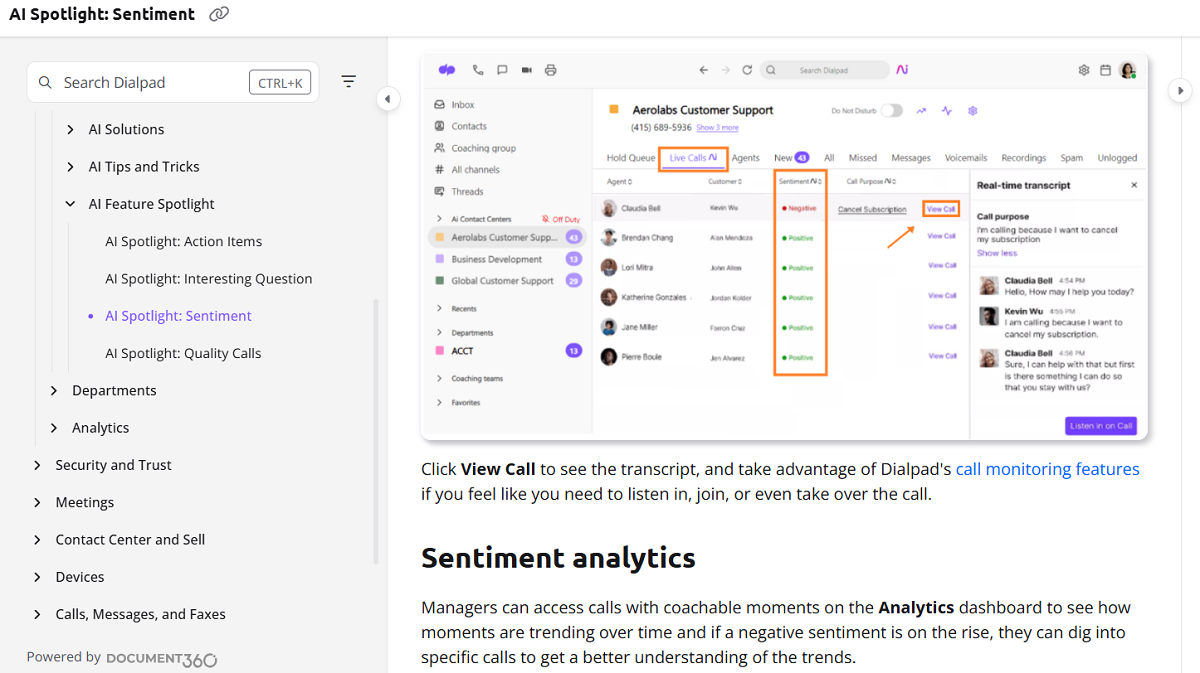
Sentiment analysis is a feature within Dialpad's AI-powered contact center suite designed to help managers and supervisors understand how customers feel in real time during a call. Sentiment analysis is one of multiple "AI Spotlight" features that overlay on live calls, including AI Call Summary and Real-Time Assist cards. Sentiment is derived from the text of the call transcript rather than vocal tone or audio cues. Conversations are segmented into positive, negative, and neutral sentiment at the statement level and Dialpad AI determines why callers are frustrated or happy so agents can react accordingly.
Sentiment is visible to supervisors in real-time directly within the Live Calls dashboard, where they can also listen or click-to-call in on the conversation. Sentiment is detected sentence-by-sentence: Dialpad AI will highlight the sentence that resulted in a positive or negative classification so managers have context for why that moment was flagged. Sentiment can also be viewed in the Analytics dashboard for managers to see sentiment trends over time, drill down into individual calls and reference highlighted examples when coaching agents. Sentiment is currently only detected on the customer side of a conversation, not the agent’s side. Sentiment is available on Dialpad Sell and Dialpad Support plans.
Key Features
Real-Time Sentiment on Live Calls: See sentiment on live calls in real time right in the Live Calls dashboard, allowing supervisors to identify issues as they occur.
Positive, Negative and Neutral Classification: Assigns each customer comment as positive, negative or neutral sentiment.
Sentence-Level Sentiment Attribution: Highlights the sentence or phrase where the sentiment was detected to provide additional context as to why a particular moment was flagged.
Listen-In & Takeover: Lets supervisors listen-in or take over an active call right from the sentiment view itself when a conversation requires intervention.
Sentiment Analytics Dashboard: Monitor sentiment trends over time and view an agent leaderboard to see which agents’ calls trend negative. Sentiment itself is always measured from what the customer says.
Moments Filtering: Filter call history by sentiment to pull calls for QA review. Filtering offers agent side, caller side, or both, but because sentiment only returns as a customer-side moment, the agent-side option returns nothing.
Coaching Integrations: Surfaces flagged moments for one-on-one coaching or shareable training playlists.
Competitive Intelligence Trigger: Surfaces relevant talking points via Real-Time Assist cards when a customer expresses negative sentiment about a competitor.
Contact Center Integrations: Integrates with Zendesk, Microsoft Teams, Slack, Zoom, Intercom, Playvox, Google Meet, Salesforce and more.
Pros
- View customer sentiment live during calls so supervisors can intervene before a call escalates.
- Isolate the exact phrase that triggered a sentiment alert with sentence-level attribution.
- Seamlessly integrates into coaching workflows, from the moment a call is flagged to creating training playlists.
- Easy to search historic calls by sentiment to identify trends and for review.
- Extensive contact center and collaboration integrations.
Cons
- Sentiment analysis is solely text-based. It uses the call transcript without taking tone of voice, pitch, or other audio cues into account, meaning it can overlook emotional signals that are not conveyed through the word choice.
- Sentiment analysis is only applied to the customer side of the conversation, not the agent’s.
- Classification is limited to positive/negative/neutral, with no confidence scores or entity-level sentiment.
- Multilingual support is limited compared to broader NLP engines and CX platforms.
Inya Insights (Aura365)
Overview
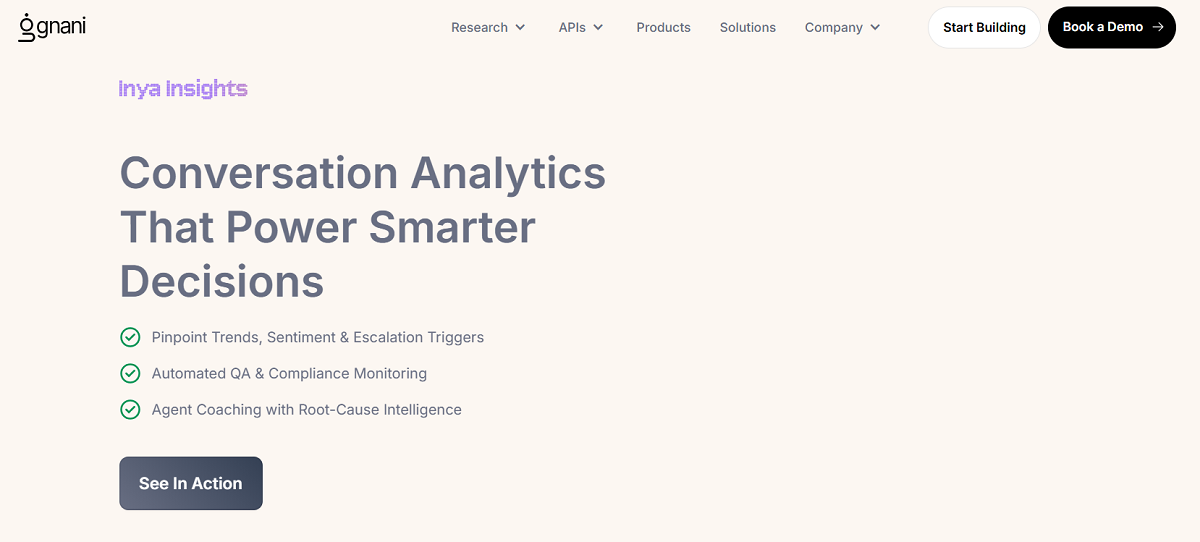
Inya Insights is Gnani.ai's contact center conversation analytics platform, marketed under the name Aura365. Rather than selling itself as a point solution sentiment tool, it brands itself as a complete conversation command center: listening to every call, reading emotion, flagging compliance mentions and scoring agents live, attempting to identify problems before they become tickets.
Sentiment and emotion detection powers "Deep Interaction Insights", which surfaces sentiment, frustration, urgency, customer satisfaction and at-risk or escalation events as they happen, with trends flowing automatically to product, CX and training teams. This is driven by two separate models working together: a text-based sentiment model and a separate emotion model. Both classify analyzed output as negative, neutral, or positive. Automated QA scoring is used to grade each call against key attributes such as script adherence, tone, policy compliance and empathy without sampling. Calls that fall outside of thresholds can be flagged for supervisor review.
Key Features
Real-Time Emotion & Sentiment Detection: Identifies emotion, frustration, urgency and customer satisfaction levels in real-time conversations. Automatically flags customers who are at-risk and critical moments that require immediate attention.
Automated QA & Compliance Scoring: Scores every call for metrics such as script adherence, tone, policy compliance and empathy. Eliminates sampling and fully automates QA.
Root-Cause Agent Coaching: Benchmarks agent performance against predefined goals and creates strengths- and weaknesses-based reports for targeted coaching.
User Journey Maps: Visualize how your customers traverse calls, IVR menus, and chat flows to identify friction points and drop-offs.
Goal-Based Conversation Tracking: Tracks calls against defined business outcomes and alerts when milestones aren't met.
Custom QA Scorecard Builder: Lets QA teams build weighted, compliance-aware scorecards with a generative AI builder.
Broad Multilingual & Multimodal Support: Covers voice and chat channels across many languages, suited to international contact centers.
Zero-Code Integrations: Connects out of the box with Avaya, Cisco, Five9, Twilio, Genesys, Salesforce, Zendesk, Freshdesk, HubSpot, and Zoho.
Pros
- Delivers unified real-time sentiment and emotion analysis and automated QA scoring.
- Root-cause coaching tools turn QA and sentiment data into targeted agent coaching insights.
- Extensive integrations with telephony, CRM, and support platforms.
Cons
- Training data and model tuning appear heavily focused on the Indian market, which may limit accuracy or relevance for organizations operating outside that region.
- Pricing and deployment are geared toward large-scale, regulated enterprise volume, likely more than a small team piloting a single-language use case would need.
InMoment
Overview
InMoment provides sentiment analysis as part of its customer experience (CX) platform, which includes feedback, reputation management, and conversational intelligence solutions. Rather than simply assign positive/negative polarity, the company's text analytics engine (developed from its Lexalytics acquisition) surfaces the intent, perceived effort and emotion within consumer feedback. This allows teams to prioritize action on feedback indicative of churn risk and friction, instead of relying on one sentiment score. Named entity extraction and categorization are available as foundational layers, extracting references to people, places, companies, products, etc. and sorting feedback into groups of topics.
InMoment also offers a Conversational Intelligence solution for contact centers, but voice is a small part of the company’s focus overall. It doesn’t transcribe calls in real time. Instead, it transcribes calls and chats after the interaction occurs, and then runs them through its NLP engine (the same one used for textual feedback) and applies its pre-existing category and sentiment models to determine why customers are contacting the company and identify opportunities for improvement. InMoment's platform was named a Leader in Forrester's Text Mining and Analytics Wave and a Leader in Gartner's Voice of the Customer Magic Quadrant for 2024. Similar to other CX suites in this category, sentiment analysis ties into InMoment's larger survey, reputation management, and closed-loop action tools.
Note: InMoment has been part of Press Ganey Forsta since May 2025 and Qualtrics completed its acquisition of Press Ganey Forsta in May 2026. InMoment and Qualtrics XM are now owned by the same company.
Key Features
Sentiment, Effort, and Intent Detection: Surfaces expressed intent and perceived customer effort alongside sentiment, not just a score.
Named Entity Extraction: Identifies people, places, companies, products, and titles in feedback, with support for custom entity lists.
Categorization Engine: Automatically sorts responses into topic categories using machine learning and rules-based queries.
Omnichannel Listening: Brings together feedback from surveys, social reviews, call scripts and more into one layer of analysis.
Conversational Intelligence for Contact Centers: Applies InMoment’s existing text analytics pipeline to call and chat transcripts (instead of real-time voice) to surface reasons for contact and opportunities for efficiency.
Transparent, Non-Black-Box Models: Focuses on explainable output vs. black box scoring, building trust in the results.
Broad Enterprise Integrations: Integrates with Google, Microsoft, AWS, HubSpot, Salesforce, Intercom, Twilio, Zendesk, ServiceNow, RingCentral, and more.
Pros
- Captures intent and effort as well as sentiment.
- Extracts and categorizes named entities to provide additional context.
- Has integrations with many CRMs, telephony providers, and other support applications.
- Offers expert services to help organizations adjust sentiment scoring, add custom entities, and train models specific to your business.
Cons
- Voice is a small part of InMoment’s focus, not a core strength. Recordings need to be transcribed before any analysis can be done, and the capabilities come from InMoment’s text analytics pipeline, not a standalone real-time voice analytics engine.
- A full CX suite versus a dedicated sentiment tool, which could add unnecessary overhead if all you need is call center sentiment.
Talkdesk

Overview
Talkdesk Interaction Analytics is Talkdesk's cloud contact center platform's sentiment and speech analytics layer. Powered by generative AI, Talkdesk Interaction Analytics automatically surfaces topics, sentiment trends and patterns from conversations (with no manual rules configuration) helping you automate, assist agents and improve agent performance.
Beyond assigning a simple positive/negative label, Talkdesk's Mood Insights explain why a customer's mood shifted throughout a call interaction. This functionality accompanies transcription cards leveraging speech-to-text and NLP to surface intent and sentiment within the context of a call, as well as keyword search functionality allowing teams to surface interactions by keyword in addition to an overall sentiment score. Like many of its category peers, Talkdesk positions sentiment analysis as one facet of a larger CXA platform spanning routing, quality, workforce engagement, and AI-agent orchestration rather than a point solution with narrow scope.
Key Features
Automatic Sentiment & Topic Discovery: Identifies sentiment and trending topics without manual configuration.
Mood Insights: Detects subtle shifts in customer mood and tracks why and how they change during a call, beyond a basic positive/negative/neutral label.
Transcription Cards: Highlights context, customer intent and sentiment within call transcripts with speech-to-text and NLP.
Keyword Search with Sentiment Scoring: Search interaction transcripts by keyword with an overall sentiment score to facilitate rapid review.
Utterance-Level Audio Playback: Quickly jump to the utterance that caused a flagged problem, rather than reviewing an entire call recording.
Performance Dashboards: Visualize sentiment, intent trends, and interaction performance for human and AI-powered conversations all in one view.
Automation Mining: Apply process mining to conversations and screen recordings to discover automation-ready workflows and predict impact.
Broad Contact Center Integrations: Integrates with ServiceNow, Slack, Salesforce, Microsoft Teams, Zendesk, Zoom, Freshdesk, Intercom, Zoho, and more.
Pros
- Uncovers the reason behind a change in mood, not just a classification.
- Keyword search combined with sentiment scoring speeds up review.
- Keyword Sensors route configurable alerts into the tools teams already use.
- Automation mining links conversation insights to process improvement.
- Broad multilingual support and integrations across CRM and collaboration tools.
Cons
- Sentiment analysis comes packaged as part of a CXA offering, so teams needing just sentiment analysis will likely have excess capabilities.
- Focuses more on post-call and transcript-based sentiment than real-time streaming sentiment for live calls.
- Public documentation provides less insight into confidence scoring or entity-level granularity compared to some developer-first NLP engines.
Developer-First APIs (NLP Engines)
Azure Language in Foundry Tools
Overview
Azure Language is a cloud-native NLP engine. It enables developers and businesses to easily surface intelligence found in text through features like sentiment analysis, key phrase extraction, PII detection, summarization, etc. into applications using Foundry's no-code interface, REST APIs or client libraries (C#, Java, JavaScript, Python). Part of Microsoft's Foundry Tools platform, Azure Language empowers businesses to build language features into their apps. Azure Language is a developer tool used as a building block for your custom or third party call center solution. Azure Language is not a prebuilt conversation intelligence platform.
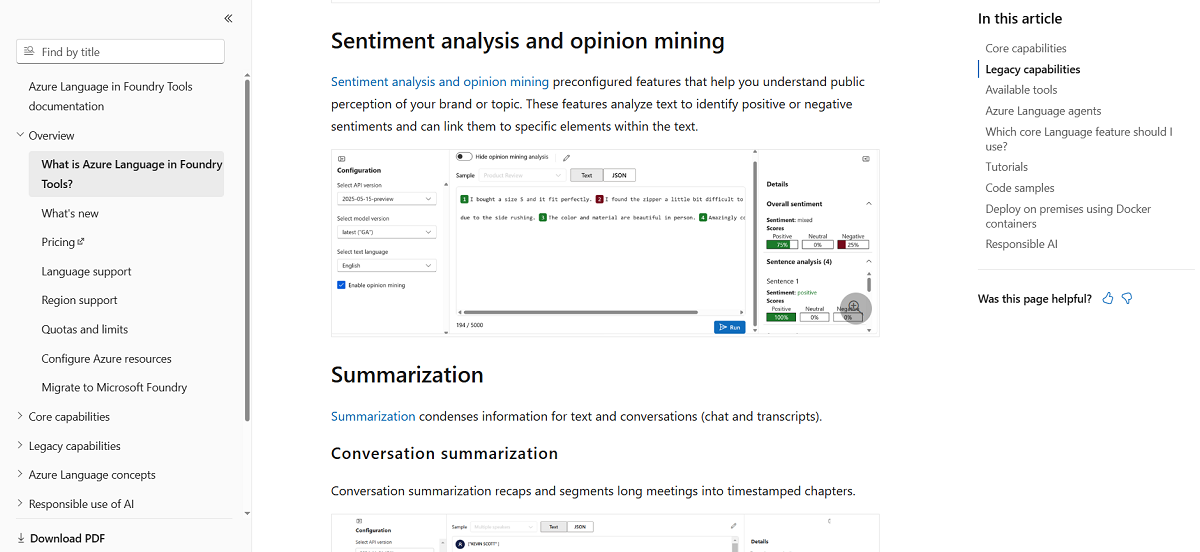
Its sentiment analysis/opinion mining capabilities assigns scores of positive, negative, neutral or mixed sentiment at the sentence level and relates scores to specific elements in the text. Scores are returned with a confidence level. Since the service processes text, voice conversations must be transcribed first. The service can also be invoked programmatically as tools, via an Azure Language MCP server. This allows AI Teams developers to invoke these NLP capabilities directly in their custom agent workflows.
Key Features
Sentiment Analysis & Opinion Mining: Determines if the sentiment in a body of text is positive, negative, neutral, or mixed. Scores can be applied to specific elements within a document.
Custom Model Training: Allows developers to build custom NLP models such as custom named entity recognition and custom text classification models trained with your data.
Confidence Scores: Sentiment and other NLP results are provided with a confidence score so you can decide how much you can trust the result before you take action.
Mixed Sentiment Scoring: Understands when a document or passage expresses both positive and negative sentiment, instead of assigning just one sentiment score.
PII Detection: Detects personally identifiable information (PII) in text and transcripts and can redact the sensitive information.
Summarization: Shortens lengthy text and conversations. This includes call center summarization focused on the customer issue and solution.
Key Phrase Extraction & Named Entity Recognition: Surfaces topics, concepts and entities being discussed in your unstructured text.
Batch Processing: Analyze your text via REST APIs or client libraries in batches. Ideal for back-end or after-the-fact workflows.
Flexible Deployment: Deployable as a cloud-based SaaS service, and selected features can be deployed on-premises using Docker containers.
Pros
- Allows you to train custom entity recognition models on your own data.
- Provides confidence scores alongside sentiment output.
- Sentiment scoring recognizes mixed sentiment in a single body of text, as opposed to one score for the whole document.
- Offers other NLP features such as text summarization, PII detection, and entity recognition.
- Can be integrated into your own applications through Foundry, REST endpoints, or several client libraries.
- Can be deployed on-prem via containers for certain functionalities.
Cons
- Speech to text needed for voice conversations before sentiment analysis can be performed.
- No real-time dashboards or alerts workflows included out-of-the-box, as it’s an NLP engine vs. a contact center monitoring platform.
- Engineering effort needed to implement, as it’s delivered as an API/toolkit rather than a ready-to-use application.
Google Cloud Natural Language API
Overview
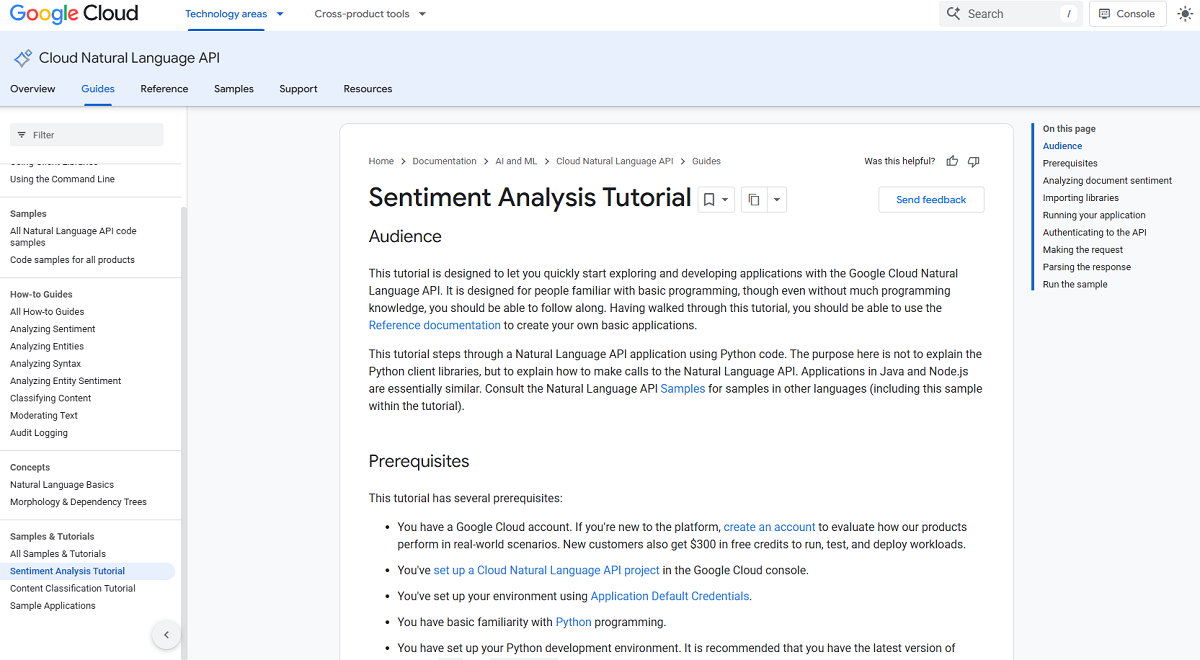
Sentiment analysis is one of five natural language processing (NLP) features available from Google Cloud Natural Language API (others include entity analysis, entity sentiment, syntax analysis, and classification). The API provides an analyzeSentiment method, which returns an overall positive versus negative score from about -1.0 through +1.0 along with a magnitude based on how much subjective content was found in the entered text. Sentiment scores can be calculated for an entire document or can be broken down into sentences so developers can glean both big-picture opinion as well as nuanced changes in tone through longer texts. Entity Sentiment combines Entity Analysis with sentiment scoring to determine sentiment for mentioned entities within the text, rather than an entire document's sentiment.
Just as with Azure Language, this is an API-first NLP engine, not an out-of-the-box contact center solution. It is accessed through REST calls, the gcloud CLI, or client libraries (available in Python, Java, Node.js, Go, etc.). It's usually part of a larger custom application or data pipeline that your contact center teams will use, rather than something they will interact with directly.
Key Features
Document and Sentence-Level Sentiment Scoring: Analyzes text and returns an overall score and magnitude for the entire document plus a score and magnitude for each sentence in the document.
Entity-Level Sentiment Analysis: Merges named-entity recognition with sentiment scoring to identify sentiment toward particular entities mentioned in the transcribed text.
Score & Magnitude: Instead of returning just a positive or negative sentiment, the score and magnitude model returns two parts to every sentiment score: a score and a magnitude. The score identifies if the sentiment is positive or negative, while magnitude measures the strength of emotion associated with that sentiment.
Automatic Language Detection: Detects the source language when none is specified, across 16 supported languages for sentiment analysis.
Google Cloud Storage Integration: Allows you to specify a document stored in Google Cloud Storage for sentiment analysis without including the contents of the file in the request body.
Custom Models: Integrates with Google Cloud's AutoML and Gemini Enterprise Agent Platform (formerly Vertex AI) tooling for customers who would like to train custom language models with their own data.
Batch Processing: Lets you send text to be processed via REST API or client library calls, which can integrate nicely into existing back-end and pipeline-style workflows.
Extensive Client Library Support: Provides official client libraries for Python, Java, Node.js, Go, C#, PHP, and Ruby. This supports easy integration into many existing technology stacks.
Google Cloud Ecosystem Integration: Integrates with other Google Cloud Platform products as well as with any application that can call GCP APIs.
Pros
- Determines not only the sentiment polarity (+/-), but also the strength of emotion.
- Entity-level scoring allows for a more fine-grained analysis than document scoring alone.
- Feature-rich client libraries for many programming languages.
- Native integration with Google Cloud Storage enables easy bulk analysis.
- Part of Google Cloud's AI/ML platform if you're already using that technology ecosystem.
Cons
- Text-based only, so voice interactions require separate speech-to-text processing before sentiment analysis can occur.
- Doesn't support sentence-level mixed sentiment out of the box.
- Does not provide context understanding across an entire conversation.
- Lacks out-of-the-box real-time streaming, dashboards, alerts, or automated workflows because it's a developer API, not a contact center app.
Amazon Comprehend
Overview
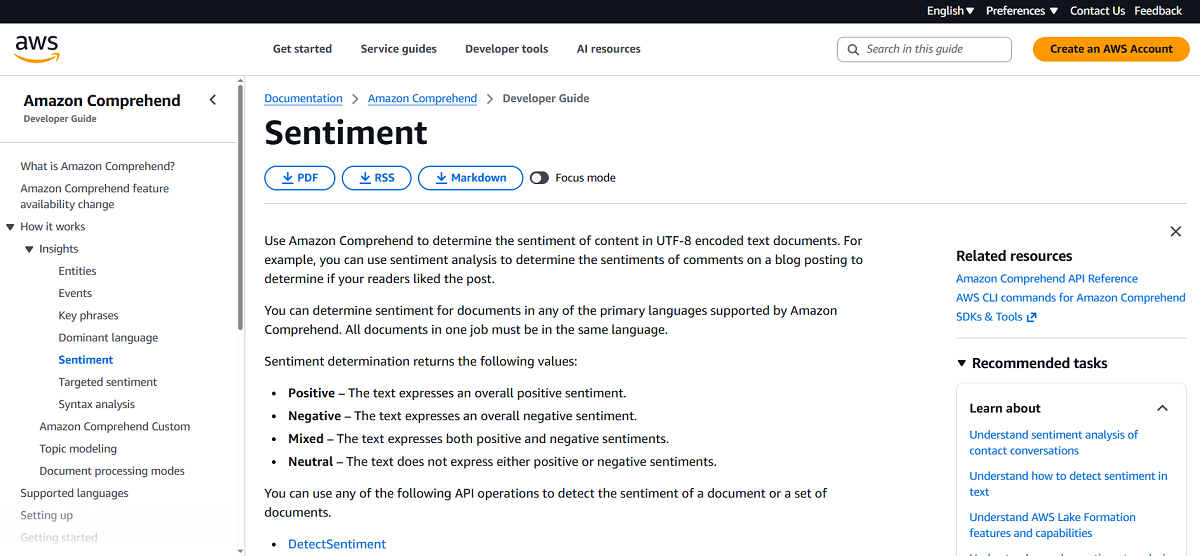
Amazon Comprehend analyzes text (such as social media posts, reviews, and customer service transcripts or emails) using machine learning to extract insights. Comprehend is not a stand-alone contact center app. Amazon Comprehend's Sentiment API analyzes text to determine if the body of text is positive, negative, mixed, or neutral. It returns the most likely result with a confidence scoring for each of the four categories (e.g., 90% positive, 5% negative, 5% mixed).
Comprehend's Targeted Sentiment API goes one level deeper, detecting clusters of mentions that relate to the same entity and extracting sentiment for each individual mention (instead of producing a single score for an entire passage). This solves a practical problem with document-level scoring, where text containing both compliments about a product and complaints about service would simply be scored as "mixed" without showing which entity was responsible for which sentiment. Targeted Sentiment is available for both real-time and batch processing, but at this time supports only English-language documents.
As with Azure Language and Google Cloud NL API, Comprehend is a developer-facing NLP engine (accessed via API calls, the AWS console or client SDKs) that is most often used as one component in a custom analytics pipeline, rather than a ready-packaged contact center monitoring application. AWS points out it can be used directly on call center transcripts, as well as reviews and social media content.
Key Features
Document-Level Sentiment Detection: Returns whether a whole document is positive, negative, neutral, or mixed, as well as confidence scores for each sentiment category.
Targeted (Entity-Level) Sentiment: Recognizes specific entities in text and returns sentiment for each mention of that entity, not just one overall score per document.
Co-Reference Grouping: Combines together several mentions of the same real-world entity (e.g., "the laptop," "it," "the screen") so sentiment can be tracked consistently across a passage.
Confidence Scores: Provides a numerical confidence score representing the probability that the detected sentiment is accurate.
Real-Time & Asynchronous Analysis: In addition to real-time API calls for single documents, it supports asynchronous batch processing for analyzing large volumes of text.
Multi-Language Support: Performs general document-level sentiment analysis for the 12 languages Comprehend supports. All documents sent to a single batch job must be in the same language.
Console-Based Analysis: Contains a built-in console view that automatically underlines and color-codes mentions for easy manual filtering by sentiment.
AWS Ecosystem Compatibility: Plays nicely with other AWS services, allowing easy integration into existing AWS-driven data and application pipelines.
Pros
- Entity-level Targeted Sentiment provides finer-grained insight than an overall document score.
- Each output has a confidence score so teams can determine whether to trust a prediction before taking action.
- Features both real-time and batch processing to accommodate various use cases.
- Easy integration for teams developing on AWS.
- Can be run directly on call center transcriptions in addition to reviews and social content.
Cons
- Targeted (entity-level) sentiment is currently only available for English-language documents. Standard document-level sentiment is available for more languages.
- Text only. Voice interactions must be transcribed before analysis can occur.
- No native real-time dashboards, alerts, or automated workflows, as it’s a developer API rather than a complete contact center monitoring platform.
AssemblyAI
Overview
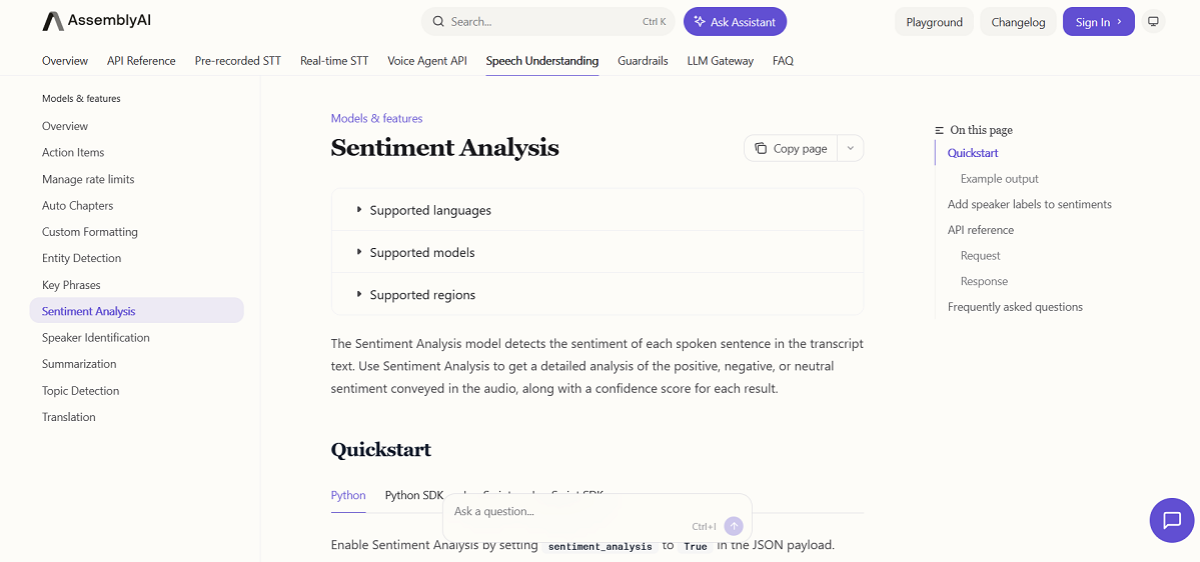
AssemblyAI is a transcription-first speech AI platform, with sentiment analysis available as one of several optional "Speech Understanding" models applied on top of the transcript. It labels sentiment sentence-by-sentence as positive, negative, or neutral, each with a confidence score.
Developers turn it on with one flag in their transcription request. Sentiment analysis results are returned as part of the transcript. Each sentence includes its detected sentiment, a confidence score between 0 and 1, and start/end timestamps in milliseconds. When used with Speaker Diarization, results can be returned by speaker so that you know if your agents or customers are saying something positive or negative.
AssemblyAI is a developer-first API. Most companies don't run AssemblyAI on devices as a CX product out of the box; instead, it's baked into a custom app, contact center pipeline, or voice AI stack. AssemblyAI offers SaaS, self-hosted, and VPC deployment options to allow teams with rigid data residency requirements more flexibility than most SaaS-only providers.
Key Features
Sentence-Level Sentiment Classification: Labels each transcript sentence positive, negative, or neutral, rather than scoring an entire call.
Confidence Scores: Every result includes a confidence score (0–1) reflecting the model's certainty.
Timestamped Results: Each result includes precise start/end timestamps for jumping directly to the relevant moment in a call.
Speaker-Level Attribution: Sentiment results can be tied to speakers (with Speaker Diarization) to show you agent vs. customer sentiment.
Asynchronous Processing: Sentiment analysis runs on pre-recorded audio as part of the transcription job. Real-time streaming transcription is offered, but the sentiment model is applied to completed transcripts rather than live streams.
Flexible Deployment Options: Available as SaaS, self-hosted, or VPC deployments for teams needing tighter data control.
Voice AI Ecosystem Integrations: Integrates with voice AI infrastructure tools including LiveKit, Vapi, and Pipecat.
Developer-First API: Enabled with a single configuration flag alongside transcription, minimizing setup for existing AssemblyAI users.
Pros
- Timestamped results are directly linked to the transcript, so you can quickly find the specific moment behind a score.
- Confidence scores allow for more conservative result validation.
- Speaker-level attribution available when paired with diarization.
- Flexible deployment options (self hosted, VPC) differentiates AssemblyAI from most SaaS-only providers.
- Easy to integrate for teams already using AssemblyAI's transcription API.
Cons
- Sentiment classification is limited to positive, negative, and neutral, without mixed sentiment handling or entity-level granularity.
- Sentiment analysis works primarily with English-language text.
- No dashboards, alerts, or automated workflows because it's an API for developers rather than a complete call center monitoring platform.
- Configuration can be complex, since developers must set up parameters and structure workflows around the API’s output rather than working with a prebuilt interface.
Best Sentiment Analysis Software Comparison Chart
What is Sentiment Analysis Software?
Sentiment analysis tools employ natural language processing (NLP) and machine learning technologies to automatically assess text or speech for emotional tones, categorizing the content as positive, negative, neutral or mixed. Rather than requiring manual review of comments, transcripts or reviews, sentiment analysis software quickly analyzes large volumes of language in seconds and provides users with a structured assessment of someone's feelings about a product, service or experience.
How it works:
- Lexicon-based approaches assign polarity scores to words that have been previously tagged as positive/negative and leverage linguistic rules.
- Machine learning algorithms detect sentiments based on previously reviewed text that contains patterns of context, tone and nuance.
- More robust platforms identify sentiment at the entity-level (i.e., loved the product but hated the service), detect intensity of emotions, and identify when more than one sentiment is expressed in a single interaction.
Sentiment analysis software for the call center or customer experience will usually draw from one or more sources of data: text-based channels (chat, email, surveys) or voice-based channels (calls, which typically require speech to text transcription first, unless your platform analyzes audio natively). Results can be surfaced through dashboards, alerts, and reports that allow teams to detect dissatisfaction early, understand the causes of negative experiences, coach agents with real examples, and monitor changes in sentiment over time for products, teams, or campaigns.
Types of Sentiment Analysis Software
Sentiment analysis solutions don’t all solve the same problem. At a high level, today’s solutions fall into three categories, each ideal for a different type of team and use case.
Developer-First NLP Engines
Developer-first engines are text-processing APIs intended to be integrated into a custom application (not used directly by contact center staff). They provide development teams with flexible, granular sentiment scoring, often including confidence scores and custom model training, but require engineering effort to use. They also typically require a separate transcription step before they can work with voice data.
The following tools included in this guide fall into this category:
- Azure Language in Foundry Tools
- Google Cloud Natural Language API
- Amazon Comprehend
- AssemblyAI
Ideal for: teams with developers on staff who are creating their own custom analytics pipeline/app, and need fine-grained control over sentiment scoring rather than an out-of-the-box experience.
CX / Conversation Intelligence Platforms
These platforms are ready to go out of the box with sentiment bundled with dashboards, alerts, agent coaching tools, and frequently much broader CX or quality management capabilities. Sentiment is one feature of a more comprehensive platform and not the single solution. Also, most process text-based data (transcripts, surveys, chat) rather than natively analyzing voice. That means if you need to analyze voice data, you’ll need a transcription step first.
The following tools discussed in this guide fall into this category:
- Qualtrics XM
- Medallia Experience Cloud
- Dialpad
- Inya Insights (Aura365)
- InMoment
- Talkdesk
Ideal for: Teams looking for an out-of-the-box solution that ties sentiment to coaching, quality assurance, and larger CX metrics without having to build a custom application from scratch.
Voice-Native Conversation Intelligence
These tools are developed specifically to assess audio live rather than using a text transcript. These applications typically have lower latency scores, more emotional and tonal detection, and include streaming analysis for use on live-calls.
Just one tool discussed in this guide falls into this category:
Ideal for: Teams that require real-time, in-the-moment alerts on live calls (whether for escalation, fraud, or compliance purposes) and want contextual sentiment detection that analyzes vocal tone and emotion, not just word choice.
Many companies end up deploying multiple types, such as a CX platform for large-scale feedback analysis in addition to a voice-native tool for real-time call monitoring, or an API-first developer platform that’s layered into a bespoke internal tool. When evaluating where to start your journey, consider whether you’re solving for text vs. voice and packaged interface vs. flexible building blocks.
How to Choose the Right Sentiment Analysis Software
The best sentiment analysis software for your organization isn’t necessarily the one with the largest number of features. Instead, it’s about finding a solution that fits your unique use case, data source and team dynamic. Let’s break it down by some of the most common use cases.
Choose a voice-native or streaming-first platform if live call alerts are required. If your team needs to detect escalation, fraud or compliance risk before the conversation ends, latency and data source will be most important. Velma leads in this area as a voice-native platform purpose-built for analyzing live audio with low-latency. Dialpad analyzes sentiment on live calls, but from the transcript rather than the audio. AssemblyAI offers real-time streaming transcription, however, its sentiment model runs on completed transcripts, so it isn’t an option for live alerting.
An NLP engine may be sufficient if you are already developing a custom application or data pipeline. If your team has development resources in-house and desires flexible, granular sentiment scoring (without needing to pay for extra dashboards, coaching tools, or workflow automation you won't use), then you're likely better off with a developer-first API like Azure Language, Google Cloud Natural Language API, or Amazon Comprehend. These APIs provide control over precisely how sentiment data will be used and displayed, at the expense of engineering time to build it.
For those looking for an all-in CX suite with sentiment being just one component of a larger solution, consider CX platforms. These platforms, such as Qualtrics XM, Medallia or InMoment (now Qualtrics-owned), tie sentiment analysis into larger survey responses, journey mapping, and closed-loop action. This is ideal for organizations looking to link call center sentiment back to CSAT, NPS and revenue impact throughout the entire customer journey, beyond the contact center.
If agent coaching or quality assurance at scale is your goal, look at Dialpad, Talkdesk, or Inya Insights. All of these link sentiment directly to coaching workflows, whether by flagging specific moments for review, automatically applying QA scoring to every call (not just a sample), or surfacing trends for team-level training.
Drop any tools that don't offer multilingual support if that's a hard requirement. The languages these platforms support range from well over a 100 to just a few, or even English-only. If you need to operate in multiple countries, eliminate any platforms that don't support the languages you need before considering their other functionality.
If compliance or data residency requirements are a hard constraint for you, consider your deployment flexibility first. Most solutions on this list are available SaaS-only. If your compliance standards require self-hosted deployment options or the ability to run the software in your own VPC, that will eliminate many options from your shortlist: AssemblyAI is one of the few solutions here that offers that flexibility. Azure Language in Foundry also supports on-premises deployment via containers for selected features
If your compliance focus is more on the calls themselves rather than the underlying infrastructure, then you'll want to focus on real-time detection with automated response. Many organizations are less concerned about where their data is physically located and more concerned with what's happening during the call. Is someone getting abused? Is fraud happening in real time? Is there regulatory risk being incurred right now? Velma's real-time alerts and automated workflows are designed to address these concerns, identifying risky conversations as they occur and automatically escalating without needing a human supervisor to listen to the call later.
Asking two questions can often get you the quickest reduction in choices:
- What's my primary data source: text, voice or both?
- Do I want a packaged, ready-to-use platform or a flexible building block I can stitch together myself?
Knowing those answers upfront will weed out most incompatible offerings before you delve into feature-by-feature comparisons.
Frequently Asked Questions
Can sentiment analysis be applied to voice calls?
Yes, although most tools need an additional step. Since most sentiment analysis platforms analyze text, calls must first be transcribed before their sentiment can be scored. A few platforms, such as Velma, process the audio directly. This allows you to capture additional clues like tone, pacing and vocal tension that are not conveyed in a transcript.
What is the difference between sentiment analysis and emotion detection?
Sentiment detects whether language is positive, negative, neutral or mixed. Emotion detection takes it a step further by identifying emotional states such as frustration, urgency, satisfaction or anger. Some platforms only provide a sentiment classifier. Other platforms offer emotion detection layered on top of the sentiment analysis to help you understand how someone feels beyond good or bad.
Do I need a developer to implement sentiment analysis?
That depends on what type of tool you’re looking at. Developer-first NLP engines, such as Azure Language, Google Cloud Natural Language API, and Amazon Comprehend are provided as APIs, and you’ll need engineering capacity to utilize them. CX and conversation intelligence platforms are generally designed to be used directly by contact center or CX teams with little to no code needed to begin using them.
What's the difference between document-level, sentence-level, and entity-level sentiment?
Document-level sentiment provides an overall score for an entire call or feedback. Sentence-level sentiment analysis goes deeper by showing shifts in tone throughout a conversation. Entity-level sentiment analysis goes the deepest by connecting sentiment with specific people, products, or topics. This allows you to see that a customer loved your product but hated your service, for example, instead of receiving one murky "mixed sentiment" score.
Do I need confidence scores?
You don't need them, but they're helpful. Confidence scores indicate how confident the model is that a particular sentiment classification is correct. This is important if you plan to use results as alerts, automated workflows, or performance reviews. Without confidence scores, every result is treated as equally certain, including the ones that the model was close to calling the other way.